


Cisco AIR-CT5508-250-K9 Wireless Controller
- Global Price List Information (GPL)
-
Model: AIR-CT5508-250-K9
-
Description:
-
Price: USDLast Update:
- End-of-Sale and End-of-Life Information (EOL/EOS)
- Release Date:
- End-of-Sale Date:
- End-of-Support Date:
The Cisco 5500 Series Wireless Controller is a highly scalable and flexible platform engineered to support mission-critical wireless networking within medium to large enterprise and campus environments. By focusing on 802.11ac and 802.11n performance, this series provides the necessary infrastructure to handle the increasing demands of modern mobile devices and bandwidth-heavy applications.
Beyond simple connectivity, the platform is designed to streamline the management of wireless networks. It automates complex configuration tasks and provides network administrators with the visibility and control required to maintain secure, high-performing, and cost-effective wireless environments. As a core component of the Cisco Unified Wireless Network, it integrates seamlessly with access points and management software to deliver centralized security and policy enforcement.
Product overview
The Cisco 5500 Series is built for high-density environments, offering significantly improved throughput compared to legacy 802.11a/g networks. A key strength of the series is its flexible licensing model, which allows businesses to scale their operations by supporting anywhere from 12 to 500 access points as their needs evolve. This scalability ensures that organizations can start with a configuration that fits their current size and expand without needing to replace their hardware.
The controller also features advanced capabilities such as Cisco CleanAir technology, which proactively identifies and resolves radio frequency interference. Furthermore, it supports specialized solutions like Cisco OfficeExtend for secure teleworking and Enterprise Wireless Mesh for challenging physical environments. With built-in support for deep packet inspection through the Application Visibility and Control (AVC) engine, the 5500 Series ensures that business-critical traffic is prioritized, providing a reliable experience for voice and video applications.
Features and benefits
- Scalability: Supports flexible growth by managing between 12 and 500 access points, catering to various business sizes.
- High Performance: Delivers non-blocking, wired-speed performance optimized for 802.11n and 802.11ac standards.
- RF Management: Utilizes Cisco CleanAir technology to provide real-time and historical data on interference, ensuring optimal network health.
- OfficeExtend: Enables secure, zero-touch deployment for remote workers, extending the corporate network to home offices.
- Enterprise Wireless Mesh: Allows for dynamic wireless connections in locations where physical cabling is impractical or impossible.
- Application Visibility and Control (AVC): Uses deep packet inspection to classify applications and enforce Quality of Service (QoS) for critical traffic.
- High Availability: Offers sub-second stateful failover and optional redundant power supplies to ensure continuous network uptime.
- Advanced Security: Provides comprehensive end-to-end security, including CAPWAP-compliant DTLS encryption and wireless intrusion prevention.
- Voice and Video Optimization: Integrates Cisco VideoStream and supports Unified Communications to ensure high-quality streaming and real-time voice services.
- IPv6 Support: Offers robust management, security, and mobility features for dual-stack and IPv6-enabled clients.
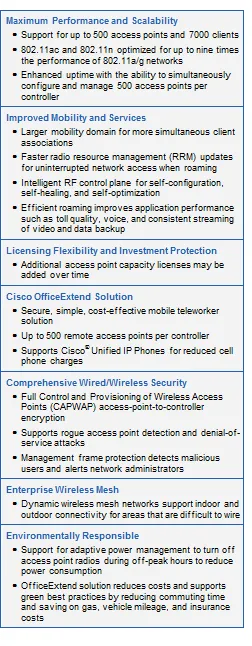
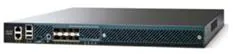
The Cisco 5500 Series Wireless Controller, shown in Figure 1, is a highly scalable and flexible platform that enables systemwide services for mission-critical wireless networking in medium-sized to large enterprises and campus environments. Designed for 802.11ac and 802.11n performance and maximum scalability, the 5500 Series offers enhanced uptime with:
● RF visibility and protection
● The ability to simultaneously manage up to 500
access points
● Superior performance for reliable streaming video and toll- quality voice
● Sub-second stateful failover of all access points and clients from the primary to standby controller
Features
Optimized for high-performance wireless networking, the Cisco 5500 Series Controller offers improved mobility and prepares the business for the next wave of mobile devices and applications. The 5500 Series supports a higher density of clients and delivers more efficient roaming, with at least nine times the throughput of existing 802.11a/g networks.
The 5500 Series automates wireless configuration and management functions and allows network managers to have the visibility and control needed to cost-effectively manage, secure, and optimize the performance of their wireless networks. With integrated Cisco CleanAirtechnology, the 5500 Series protects 802.11n performance by providing cross-network access to real-time and historic RF interference information for quick troubleshooting and resolution.
The Cisco 5508 Wireless Controller supports Cisco Application Visibility and Control(AVC), the technology that includes the Network-Based Application Recognition 2 (NBAR-2) engine, Cisco’s deep packet inspection (DPI) capability. The NBAR-2 engine can classify applications, applies quality of service (QoS) setting to either drop or mark the traffic, and prioritizes business-critical applications in the network. Cisco AVC uses NetFlow Version 9 to export the flows to Cisco Prime Infrastructure or a third-party NetFlow Collector. The 5508 also supports Bonjour Services Directory to enable Bonjour Services to be advertised and utilized in a separate Layer 3 network. Wireless Policy engine is a wireless profiler and policy feature on the Cisco 5500 Series Wireless Controller that enables profiling of wireless devices and enforcement of policies such as VLAN assignment, QoS, ACL and time-of-day-based access.
As a component of the Cisco Unified Wireless Network, this controller provides real-time communications between Cisco Aironet access points, the Cisco Wireless Control System (WCS), and the Cisco Mobility Services Engine to deliver centralized security policies, wireless intrusion prevention system (IPS) capabilities, award-winning RF management, and QoS.
Software Licensing Flexibility
Base access point licensing offers flexibility to add up to 500 additional access points as business needs grow. The licensing structure supports a variety of business mobility needs as part of the basic feature set, including the Cisco OfficeExtend solution for secure, mobile teleworking and Cisco Enterprise Wireless Mesh, which allows access points to dynamically establish wireless connections in locations where it may be difficult or impossible to physically connect to the wired network.
Table 1 lists the features of the Cisco 5500 Series Wireless LAN Controllers.
Table 1. Cisco 5500 Series Wireless LAN Controller Features
|
Feature |
Benefits |
|
Scalability |
● Supports 12, 25, 50,100, 250, or 500 access points for business-critical wireless services at locations of all sizes
|
|
High Performance |
● Wired speed, nonblocking performance for 802.11n and optimized for 802.11ac networks
|
|
RF Management |
● Provides both real-time and historical information about RF interference impacting network performance across controllers, via systemwide Cisco CleanAir technology integration
|
|
OfficeExtend |
● Supports corporate wireless service for mobile and remote workers with secure wired tunnels to the Cisco Aironet 1130 or 1140 Series Access Points
● Extends the corporate network to remote locations with minimal setup and maintenance requirements (zero-touch deployment)
● Improves productivity and collaboration at remote site locations
● Separate SSID tunnels allow both corporate and personal Internet access
● Reduced CO2 emissions from decrease in commuting
● Higher employee job satisfaction from ability to work at home
● Improves business resiliency by providing continuous, secure connectivity in the event of disasters, pandemics, or inclement weather
|
|
Comprehensive End-to-End Security |
● Offers control and provisioning of wireless access points (CAPWAP)-compliant DTLS encryption to help ensure full-line-rate encryption between access points and controllers across remote WAN/LAN links
|
|
Enterprise Wireless Mesh |
● Allows access points to dynamically establish wireless connections without the need for a physical connection to the wired network
● Available on select Cisco Aironet access points, Enterprise Wireless Mesh is ideal for warehouses, manufacturing floors, shopping centers and any other location where extending a wired connection may prove difficult or aesthetically unappealing
|
|
High Performance Video |
● Integrates Cisco VideoStream technology as part of the medianet framework to optimize the delivery of video applications across the WLAN
|
|
End-to-End Voice |
● Supports Unified Communications for improved collaboration through messaging, presence, and conferencing
● Supports all Cisco Unified IP Phones for cost-effective, real-time voice services
|
|
High Availability |
● An optional redundant power supply that helps to ensure maximum availability
|
|
Environmentally Responsible |
● Organizations may choose to turn off access point radios to reduce power consumption during off peak hours
|
|
Mobility, Security and Management for IPv6 & Dual-Stack Clients |
● Secure, reliable wireless connectivity and consistent end-user experience
● Increased network availability through proactive blocking of known threats
● Equips administrators for IPv6 troubleshooting, planning, and client traceability from a common wired and wireless management system
|
Table 2 lists the product specifications for Cisco 5500 Series Wireless Controllers.
Table 2. Product Specifications for Cisco 5500 Series Wireless Controllers
|
Item |
Specifications |
|
Wireless |
IEEE 802.11a, 802.11b, 802.11g, 802.11d, WMM/802.11e, 802.11h, 802.11k, 802.11n, 802.11r, 802.11u, 802.11w, 802.11ac. |
|
Wired/Switching/Routing |
IEEE 802.3 10BASE-T, IEEE 802.3u 100BASE-TX specification, 1000BASE-T. 1000BASE-SX, 1000-BASE-LH, IEEE 802.1Q Vtagging, and IEEE 802.1AX Link Aggregation. |
|
Data Request For Comments (RFC) |
● RFC 768 UDP
● RFC 791 IP
● RFC 2460 IPv6 (pass through Bridging mode only)
● RFC 792 ICMP
● RFC 793 TCP
● RFC 826 ARP
● RFC 1122 Requirements for Internet Hosts
● RFC 1519 CIDR
● RFC 1542 BOOTP
● RFC 2131 DHCP
● RFC 5415 CAPWAP Protocol Specification
● RFC 5416 CAPWAP Binding for 802.11
|
|
Security Standards |
● WPA
● IEEE 802.11i (WPA2, RSN)
● RFC 1321 MD5 Message-Digest Algorithm
● RFC 1851 The ESP Triple DES Transform
● RFC 2104 HMAC: Keyed Hashing for Message Authentication
● RFC 2246 TLS Protocol Version 1.0
● RFC 2401 Security Architecture for the Internet Protocol
● RFC 2403 HMAC-MD5-96 within ESP and AH
● RFC 2404 HMAC-SHA-1-96 within ESP and AH
● RFC 2405 ESP DES-CBC Cipher Algorithm with Explicit IV
● RFC 2406 IPsec
● RFC 2407 Interpretation for ISAKMP
● RFC 2408 ISAKMP
● RFC 2409 IKE
● RFC 2451 ESP CBC-Mode Cipher Algorithms
● RFC 3280 Internet X.509 PKI Certificate and CRL Profile
● RFC 3602 The AES-CBC Cipher Algorithm and Its Use with IPsec
● RFC 3686 Using AES Counter Mode with IPsec ESP
● RFC 4347 Datagram Transport Layer Security
● RFC 4346 TLS Protocol Version 1.1
|
|
Encryption |
● WEP and TKIP-MIC: RC4 40, 104 and 128 bits (both static and shared keys)
● AES: CBC, CCM, CCMP
● DES: DES-CBC, 3DES
● SSL and TLS: RC4 128-bit and RSA 1024- and 2048-bit
● DTLS: AES-CBC
● IPSec: DES-CBC, 3DES, AES-CBC
|
|
Authentication, Authorization, and Accounting (AAA) |
● IEEE 802.1X
● RFC 2548 Microsoft Vendor-Specific RADIUS Attributes
● RFC 2716 PPP EAP-TLS
● RFC 2865 RADIUS Authentication
● RFC 2866 RADIUS Accounting
● RFC 2867 RADIUS Tunnel Accounting
● RFC 2869 RADIUS Extensions
● RFC 3576 Dynamic Authorization Extensions to RADIUS
● RFC 5176 Dynamic Authorization Extensions to RADIUS
● RFC 3579 RADIUS Support for EAP
● RFC 3580 IEEE 802.1X RADIUS Guidelines
● RFC 3748 Extensible Authentication Protocol
● Web-based authentication
● TACACS support for management users
|
|
Management |
● SNMP v1, v2c, v3
● RFC 854 Telnet
● RFC 1155 Management Information for TCP/IP-Based Internets
● RFC 1156 MIB
● RFC 1157 SNMP
● RFC 1213 SNMP MIB II
● RFC 1350 TFTP
● RFC 1643 Ethernet MIB
● RFC 2030 SNTP
● RFC 2616 HTTP
● RFC 2665 Ethernet-Like Interface types MIB
● RFC 2674 Definitions of Managed Objects for Bridges with Traffic Classes, Multicast Filtering, and Virtual Extensions
● RFC 2819 RMON MIB
● RFC 2863 Interfaces Group MIB
● RFC 3164 Syslog
● RFC 3414 User-Based Security Model (USM) for SNMPv3
● RFC 3418 MIB for SNMP
● RFC 3636 Definitions of Managed Objects for IEEE 802.3 MAUs
● Cisco private MIBs
|
|
Management Interfaces |
● Web-based: HTTP/HTTPS
● Command-line interface: Telnet, Secure Shell (SSH) Protocol, serial port
● Cisco Wireless Control System (WCS)
|
|
Interfaces and Indicators |
● Uplink: 8 (5508) 1000BaseT, 1000Base-SX and 1000Base-LH transceiver slots
● Small Form-Factor Pluggable (SFP) options (only Cisco SFPs supported): GLC-T, GLC-SX-MM, GLC-LH-SM
● LED indicators: link
● Service Port: 10/100/1000 Mbps Ethernet (RJ45)
● Service Port: 10/100/1000 Mbps Ethernet (RJ45) For High Availability for future use
● LED indicators: link
● Utility Port: 10/100/1000 Mbps Ethernet (RJ45)
● LED indicators: link
● Expansion Slots: 1 (5508)
● Console Port: RS232 (DB-9 male/RJ-45 connector included), mini-USB
● Other Indicators: Sys, ACT, Power Supply 1, Power Supply 2
|
|
Physical and Environmental |
● Dimensions (WxDxH): 17.30 x 21.20 x 1.75 in. (440 x 539 x 44.5 mm)
● Weight: 20 lbs (9.1 kg) with 2 power supplies
● Temperature: Operating temperature: 32 to 104°F (0 to 40°C); Storage temperature: -13 to 158°F (‑25 to 70°C)
● Humidity: Operating humidity: 10 95%, noncondensing. Storage humidity: up to 95%
● Input power: 100 to 240 VAC; 50/60 Hz; 1.05 A at 110 VAC, 115W Maximum; 0.523 A at 220 VAC, 115W Maximum; Test Conditions: Redundant Power Supplies, 40C, Full Traffic
● Heat Dissipation: 392 Btu/hour at 110/220 VAC Maximum
|
|
Regulatory Compliance |
CE Mark Safety: ● UL 60950-1:2003
● EN 60950:2000
● EMI and susceptibility (Class A)
● U.S.: FCC Part 15.107 and 15.109
● Canada: ICES-003
● Japan: VCCI
● Europe: EN 55022, EN 55024
|
Tables 3 and Table 4 list the ordering and accessories information for Cisco 5500 Series Wireless Controllers.
Table 3. Ordering Information for Cisco 5500 Series Wireless Controllers
|
Part Number |
Product Name |
Cisco SMARTnet Service 8x5xNBD |
|
AIR-CT5508-12-K9 |
5500 Series Wireless Controller for up to 12 Cisco access points |
CON-SNT-CT0812 |
|
AIR-CT5508-25-K9 |
5500 Series Wireless Controller for up to 25 Cisco access points |
CON-SNT-CT0825 |
|
AIR-CT5508-50-K9 |
5500 Series Wireless Controller for up to 50 Cisco access points |
CON-SNT-CT0850 |
|
AIR-CT5508-100-K9 |
5500 Series Wireless Controller for up to 100 Cisco access points |
CON-SNT-CT08100 |
|
AIR-CT5508-250-K9 |
5500 Series Wireless Controller for up to 250 Cisco access points |
CON-SNT-CT08250 |
|
AIR-CT5508-500-K9 |
5500 Series Wireless Controller for up to 500 Cisco access points |
CON-SNT-CT08500 |
|
AIR-CT5508-500-2PK |
2 Pack 5500 Series Wireless Controller for up to 500 Cisco access points each (1000 access points total) |
CON-SNT-AIRC552P |
|
AIR-CT5508-HA-K9 |
Cisco 5508 Series Wireless Controller for High Availability |
CON-SNT-CT5508HA |
Table 4. Accessories for Cisco 5500 Series Wireless Controllers
|
Part Number |
Product Name |
|
AIR-PWR-5500-AC= |
5500 Series Wireless Controller Redundant AC Power Supply |
|
AIR-FAN-5500= |
5500 Series Wireless Controller Fan Tray |
|
AIR-CT5500-RK-MNT |
5500 Series Wireless Controller Spare mounting kit |
Additive Capacity Upgrade Licenses
Tables 5 and 6 list additive capacity upgrade licenses for the Cisco 5500 Series.
Table 5. Ordering Information for Cisco 5500 Series Wireless Controllers Additive Capacity Licenses (e-Delivery Product Authorization Keys [PAKs])
|
Part Number |
Product Description |
SWSS Service 8x5xNBD |
|
|
e-License |
L-LIC-CT5508-UPG |
Primary upgrade SKU: Pick any number or combination of the following options under this SKU to upgrade one or many controllers under one product authorization key |
CON-SNT-LCTUPG |
|
L-LIC-CT5508-5A |
5 AP Adder License for the 5508 Controller (eDelivery) |
CON-ECMU-LICCT55A |
|
|
L-LIC-CT5508-25A |
25 AP Adder License for the 5508 Controller (eDelivery) |
CON-ECMU-LCT25A |
|
|
L-LIC-CT5508-50A |
50 AP Adder License for the 5508 Controller (eDelivery) |
CON-ECMU-LCT50A |
|
|
L-LIC-CT5508-100A |
100 AP Adder License for the 5508 Controller (eDelivery) |
CON-ECMU-LCT100A |
|
|
L-LIC-CT5508-250A |
250 AP Adder License for the 5508 Controller (eDelivery) |
CON-ECMU-LCT250A |
Table 6. Ordering Information for Cisco 5500 Series Wireless Controllers Additive Capacity Licenses (Paper PAKs)
|
Part Number |
Product Description |
SWSS Service 8x5xNBD |
|
|
Paper License |
LIC-CT5508-UPG |
Primary upgrade SKU: Pick any number or combination of the following options under this SKU, to upgrade one or many controllers under one product authorization key |
CON-ECMU-LCTUPG |
|
LIC-CT5508-5A |
5 AP Adder License for the 5508 Controller |
CON-ECMU-LICCT55A |
|
|
LIC-CT5508-25A |
25 AP Adder License for the 5508 Controller |
CON-ECMU-LCT25A |
|
|
LIC-CT5508-50A |
50 AP Adder License for the 5508 Controller |
CON-ECMU-LCT50A |
|
|
LIC-CT5508-100A |
100 AP Adder License for the 5508 Controller |
CON-ECMU-LCT100A |
|
|
LIC-CT5508-250A |
250 AP Adder License for the 5508 Controller |
CON-ECMU-LCT250A |
The additive capacity licenses allow for the increase in access point capacity supported by the controller up to a maximum of 500 access points. As an example, if a controller was initially ordered with support for 250 access points, that capacity could be later increased to up to 500 access points by purchasing a 250-access-point additive capacity license (1x-LIC-CT5508-250A).
A certificate with a PAK is required to add additional access point capacity on the Cisco 5500 Series Wireless Controller.
The certificate may be expedited via email. If a paper certificate is required for customs, it should be ordered to ship via U.S. mail. Each additive capacity license and PAK must be registered prior to installation.
Ordering and installing the Cisco 5500 Series Wireless Controller additive capacity licenses is a three-step process:
1. Select the correct SKU for email or paper delivery.
2. Register the PAK certificate (see Registering PAK Certificate).
3. Install the license on the Cisco 5500 Series Wireless Controller (see Installing License).
Please review the Cisco Wireless LAN Controller Configuration Guide, Release 6.0 or later, for detailed ordering, registration, and installation information for the 5500 Series additive capacity licenses.
Electronic delivery of the same PAKs is available by ordering the e-License SKUs as listed in Table 5. If a paper certificate is required, please use the SKUs listed in Table 6.
PAK Certificate Registration
Customers are required to register a PAK certificate for all upgrade licenses for the Cisco 5500 Series Wireless Controllers. Customer email address and host name are required to register the PAK certificate at: http://www.cisco.com/go/license.
Installing License on Cisco WCS Server
Follow these steps to install a license file. If you need additional help, contact Cisco Technical Assistance Center (TAC) at 800 553-2447 or tac@cisco.com.
1. Install Cisco WCS software if not already completed.
2. Save the license file (.lic) to a temporary directory on your hard drive. (You will receive an email from Cisco with an attached license file.)
3. Open a supported version of the Internet Explorer browser.
4. In the location or address field, enter the following URL, replacing IP address with the IP address or host name of the Cisco WCS server: https: //
5. Log in to the Cisco WCS server as system administrator. (Be aware that usernames and passwords are case-sensitive.)
6. From the Help menu, select Licensing.
7. On the Licensing page, from the Command menu, select Add License.
8. On the Add License page, click Browse to navigate to the location where you saved the.lic file.
9. Click Download. The Cisco WCS server imports the license.
Table 7 shows the optional DTLS license for Cisco 5500 Series Wireless Controllers.
Datagram Transport Layer Security (DTLS) is required for all OfficeExtend deployments to encrypt the Data Plane traffic. Customers planning to install this device physically in Russia must order the controller with DTLS disabled and then obtain a physical PAK in order to enable a DTLS license and should not download the license from Cisco.com. Please consult your local government regulations to ensure that Data DTLS encryption is permitted.
If a customer chooses SWC5500K9-60, SWC5500K9-70 or SWC5500K9-72, DTLS Data Encryption is enabled by default. When a customer orders the 5500 Series and chooses either SWC5500LPE-K9-70 or SWC5500LPE-K9-72 in the Optional Licenses tab, data DTLS Encryption is disabled.
The DTLS Paper PAK license is designated for customers who purchase a controller with DTLS disabled due to import restrictions but get permission to add DTLS support after initial purchase. This optional DTLS license is required for Cisco OfficeExtend deployment.
Table 7. Optional Licensing for Cisco 5500 Series Wireless Controllers (PAKs)
|
Part Number |
Description |
|
LIC-CT5508-LPE-K9 |
5508 Wireless Controller DTLS License (Paper PAK) |
|
L-LIC-CT55-LPE-K9= |
Cisco 5508 Controller DTLS License (electronic Certificate) |
Summary
The Cisco 5500 Series Wireless Controller is designed for 802.11n performance and offers maximum scalability for enterprise and service provider wireless deployments. It simplifies deployment and operation of wireless networks, helping to ensure smooth performance, enhance security, and maximize network availability. The Cisco 5500 Series Wireless Controller manages all the Cisco access points within campus environments and branch locations, eliminating complexity and providing network administrators with visibility and control of their wireless LANs.
For More Information
For more information about Cisco wireless controllers, contact your local account representative or visit: http://www.cisco.com/en/US/products/ps6366/index.html.
For more information about the Cisco Unified Wireless Network framework, visit: http://www.cisco.com/go/unifiedwireless.
| Model | AIR-CT5508-250-K9 |