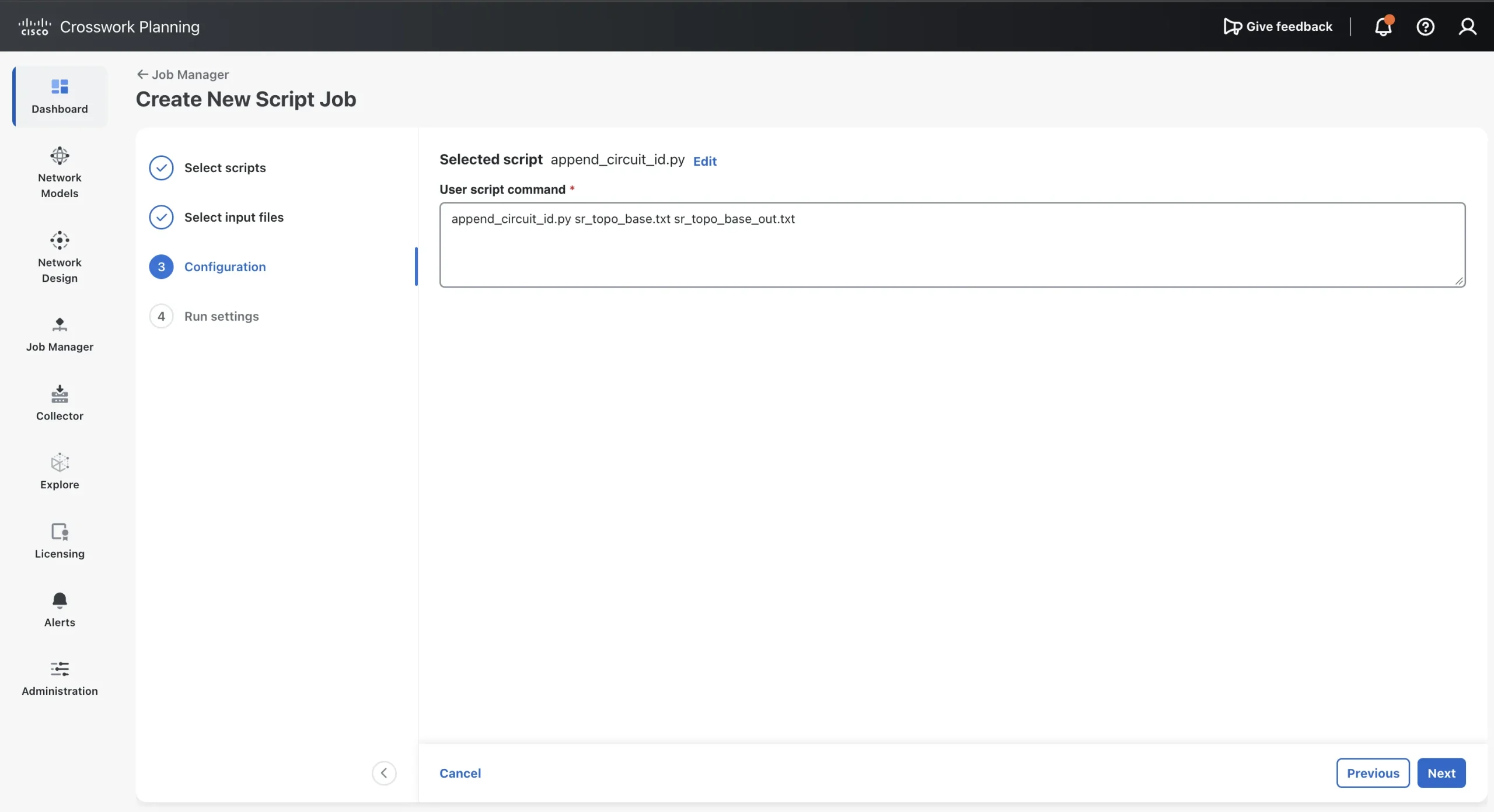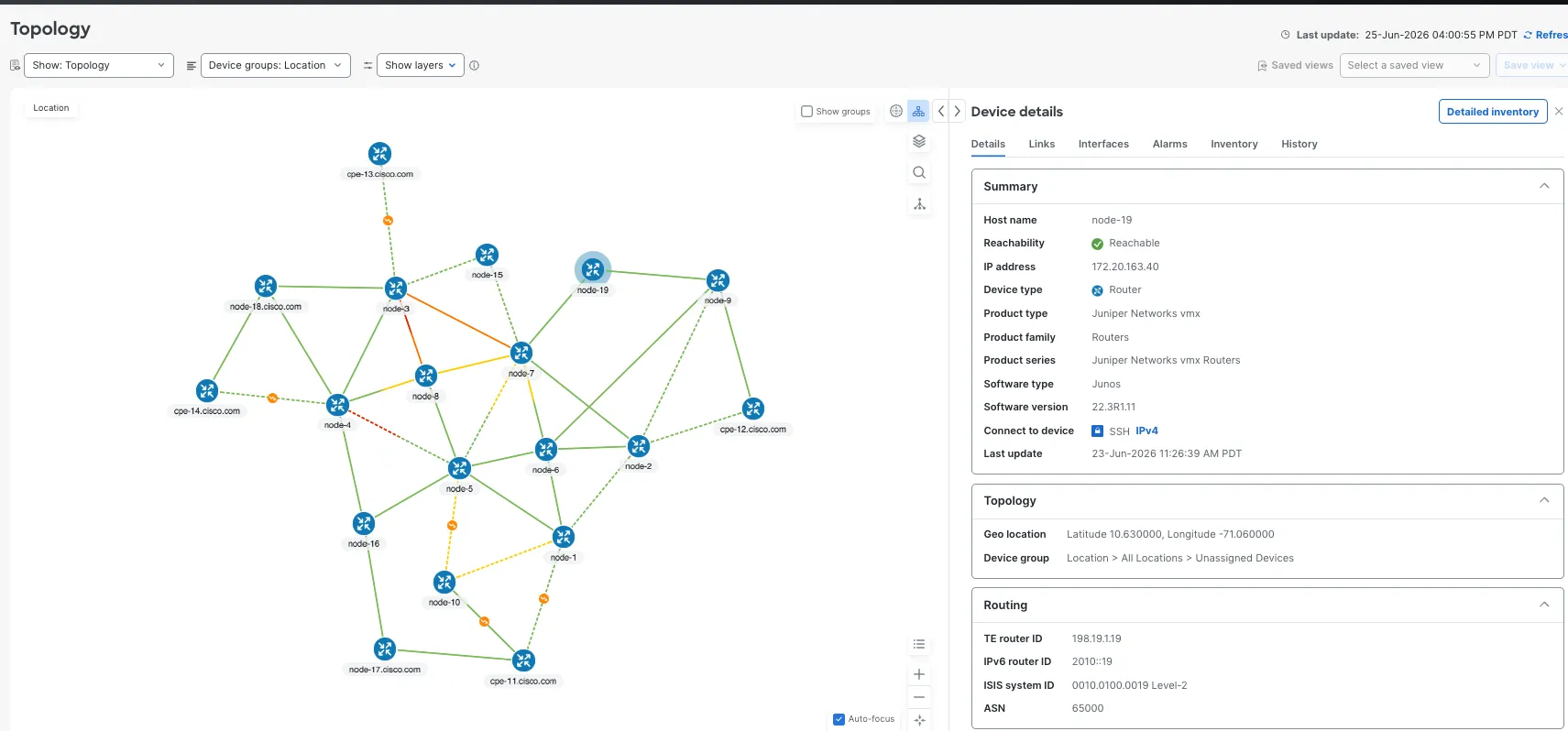
استفاده از مدلهای زبانی بزرگ (LLM) برای ساخت سرور Crosswork Planning MCP

همین قابلیتها به صورت برنامهنویسیشده نیز در دسترس هستند. کتابخانه پایتون Optimization and Prediction Module (OPM) به سرویس DesignAPI در یک نمونه (Instance) از Crosswork Planning متصل میشود، یک طرح را باز میکند و شبیهسازی مسیر، تأثیر خرابی و تحلیل شبیهسازی (Simulation Analysis) را روی سرور اجرا میکند. آموزش استفاده از مدلهای زبانی بزرگ (LLM) برای نمونهسازی اسکریپتهای Crosswork Planning نشان داد که چگونه میتوان از یک عامل کدنویسی LLM برای نوشتن یک اسکریپت یکباره (One-off) با استفاده از این کتابخانه بهره برد.
این آموزش یک گام فراتر میرود. به جای درخواست از عامل (Agent) برای نوشتن اسکریپتی که به یک پرسش خاص پاسخ دهد، از آن میخواهیم تا یکسرور پروتکل زمینه مدل (Model Context Protocol – MCP)بسازد که قابلیتهای Crosswork Planning را به عنوان مجموعهای از ابزارها در دسترس قرار دهد تا هر کلاینت LLM که از MCP پشتیبانی میکند، بتواند از آنها استفاده کند. پس از اتصال سرور، میتوانید پرسشهایی ماننداگر لینک سن خوزه به کانزاس سیتی قطع شود چه اتفاقی میافتد؟را به زبان طبیعی مطرح کنید و مدل زبانی (LLM) تصمیم میگیرد که کدام شبیهسازی را اجرا کند و نتایج را برای اپراتور شرح دهد.
توجه:برنامه Crosswork Planning قرار است در نسخههای آینده با یک سرور MCP کاملاً پشتیبانیشده عرضه شود. این آموزش نشان میدهد که چگونه میتوانید با استفاده از کتابخانه پایتون Crosswork Planning، سرور MCP اختصاصی خود را با مدلهای زبانی بزرگ (LLMs) بسازید و از آن استفاده کنید.
با تکیه بر این قابلیتها، Crosswork AI یک کیت توسعه عامل (ADK) برای توسعه و عملیاتیسازی عاملهای هوش مصنوعی (AI agents) ارائه میدهد که امکان ایجاد برنامههای برنامهریزی شبکه مبتنی بر MCP را فراهم میکند. یک نمونه کاربردی در وبلاگ Cisco Community با عنوان از حالت ایستا تا خودمختار: تکامل برنامهریزی شبکه ارائه شده است. فراتر از توسعه عامل، چارچوب Crosswork AI قابلیتهای مشاهدهپذیری (Observability) و ردیابی عامل، ارزیابی عامل، خدمات برنامهریزی و ارکستراسیون، دسترسی کنترلشده به مدل، یکپارچهسازی استاندارد ابزارها و زمینهسازی گراف دانش (Knowledge-graph grounding) را گرد هم میآورد. این قابلیتها در کنار هم، زیربنایی ساختاریافته برای عملیات شبکه مبتنی بر هوش مصنوعی فراهم میکنند که ممکن است صرفاً از طریق تعاملات با مدلهای زبانی بزرگ (LLM) عمومی در دسترس نباشد.
آنچه خواهید ساخت
در این آموزش، از یک عامل کدنویسی LLM میخواهید تا یک سرور MCP پایتون تکفایلی برای Crosswork Planning بسازد، آن را در Cursor ثبت کند و از آن برای تحلیل یک طرح نمونه WAN استفاده نماید.
هنگامی که سرور متصل میشود، مکالمهای به این صورت برقرار میگردد:
User: I have us_wan.txt in my workspace. Upload it and tell me what happens
 if the SJC-KCY link fails. Also run simulation analysis on circuits.
پاسخی مبتنی بر خروجی شبیهسازی واقعی از Crosswork Planning تولید میکند:
Agent: 1. upload_plan(us_wan.txt) → plan_ref upload:abc123, 33 nodes / 50 circuits / 95 demands
 2. failure_sim(plan_ref=upload:abc123, node_a=cr1.sjc, node_b=cr1.kcy)
 → 10 reroutes; cr2.wdc:to_cr1.nyc oversubscribed at 113.39%
 3. get_wc_traffic(plan_ref=upload:abc123, failure_sets=circuits)
 → top interface NYC-WDC 113.39% (scenario_count 29 when reported)
 4. Summarize findings for the user
نیازی نیست خودتان سرور را بنویسید. ایجنت (Agent) با خواندن Cisco SDK کد مربوطه را مینویسد؛ وظیفه شما برقراری اتصال (Connectivity)، توصیف دقیق سرور و بررسی نتایج در اپلیکیشن Design است.
این فرآیند حدود 90 دقیقه زمان میبرد که بخش عمده آن صرف راهاندازی اولیه گواهی (Certificate setup) میشود.
نحوه عملکرد سرور MCP
پروتکل زمینه مدل (MCP) نحوه کشف و فراخوانی ابزارها (tools) (توابع با طرحوارههای JSON) توسط کلاینتهای هوش مصنوعی را از طریق یک انتقال استاندارد تعریف میکند.یک سرور MCP همچنین میتواند منابع (resources) (دادههای فقط-خواندنی، مانند خلاصه طرح) و اعلانها (prompts) (قالبهای گردشکاری که مدل زبانی بزرگ (LLM) میتواند به زمینه خود وارد کند) را ارائه دهد.کلاینت LLM بر اساس پرسش کاربر تصمیم میگیرد که چه زمانی هر ابزار را فراخوانی کند.منابع (resources)(دادههای فقط-خواندنی، مانند خلاصه طرح) واعلانها (prompts)(قالبهای گردشکار که مدل زبانی بزرگ (LLM) میتواند به متن خود وارد کند). کلاینت LLM بر اساس پرسش کاربر تصمیم میگیرد که چه زمانی هر ابزار را فراخوانی کند.
سرور در این آموزش ازstdioاستفاده میکند که مستلزم اجرای آن بر روی همان ایستگاه کاری لینوکس (Linux workstation) است که کلاینت LLM (برای مثال، Cursor) روی آن اجرا میشود. Cursor سرور را به عنوان یک پردازش فرزند (child process) اجرا کرده و پیامهای JSON-RPC را از طریق stdin و stdout تبادل میکند. هیچ پورت شبکهای بر روی ایستگاه کاری شما باز نمیشود و برای استفاده روزمره، مرحله جداگانهای تحت عنوان “راهاندازی سرور” وجود ندارد. سرور نیز به نوبه خود از طریق پروتکل امن mTLS (mutual TLS) بر روی پورت 30744 به DesignAPI در نمونه Crosswork Planning متصل میشود.
┌─────────────────────────────────────────────────────────────────┐
│ Linux Workstation (same host as Cursor) │
│ │
│ ┌─────────────┐ stdin/stdout ┌──────────────────────────┐ │
│ │ Cursor │ ◄──────────────► │ cp_sample_mcp.py │ │
│ │ MCP client │ JSON-RPC stream │ --transport stdio │ │
│ └─────────────┘ │.plan_staging/ │ │
│ │ CARIDEN_HOME=cw-planning│ │
│ └────────────┬─────────────┘ │
└─────────────────────────────────────────────────┼───────────────┘
 │ mTLS:30744
 ▼
 ┌───────────────────────┐
 │ Crosswork Planning VM │
 │ designapid │
 └───────────────────────┘
شکل 1: کلاینت MCP سرور را به صورت محلی (Locally) اجرا میکند؛ سرور شبیهسازیها را بر روی DesignAPI انجام میدهد.
مدل زبانی بزرگ (LLM) هرگز فایلهای طرح (Plan files) را از سرور Crosswork Planning نمیخواند. در عوض، طرح را از فضای کاری (Workspace) شما میخواند و محتوای آن را به ابزارupload_planارسال میکند. سرور فایل را به صورت محلی مرحلهبندی (Stage) کرده و یکplan_idو یکplan_ref (استاندارد به صورتupload:plan_ref) بازمیگرداند. آن را به تمام فراخوانیهای ابزاری بعدی ارسال کنید.
سرور نهایی 14 ابزار (Tools)، 5 منبع (Resources) و 2 پرامپت (Prompts) را ارائه میدهد.
| دستهبندی | ابزارها | عملکرد |
|---|---|---|
| چرخه حیات طرح (Plan lifecycle) | بارگذاری طرح (upload_plan), فهرست طرحهای بارگذاری شده (list_uploaded_plans), حذف طرح بارگذاری شده (delete_uploaded_plan) |
آمادهسازی (Stage) یک طرح از سمت کلاینت و مدیریت طرحهای آمادهسازی شده. |
| کاتالوگ | دریافت خلاصه طرح (get_plan_summary), فهرست مدارها (list_circuits), فهرست تقاضاها (list_demands), فهرست مسیرهای سوئیچینگ برچسب (list_lsps) |
خواندن گرهها (Nodes)، مدارها، تقاضاها و مسیرهای سوئیچینگ برچسب (LSPs). |
| شبیهسازی مسیر (Route simulation) | دریافت مسیر تقاضا (get_demand_path), دریافت مسیر پروتکل دروازه داخلی (get_igp_path), دریافت مسیر LSP (get_lsp_path) |
نمایش نحوه مسیریابی یک تقاضا، کوتاهترین مسیر پروتکل دروازه داخلی (IGP)، یا یک تونل RSVP-TE یا سیاست مسیریابی بخش (SR). |
| تحلیل سناریوهای احتمالی (What-if) | شبیهسازی خرابی (failure_sim) |
ایجاد خرابی در یک مدار خاص و گزارش تغییرات مسیریابی مجدد و میزان بهرهبرداری (Utilization). |
| تحلیل | دریافت ترافیک بدترین حالت (get_wc_traffic), دریافت رشد ترافیک (get_traffic_growth) |
اجرای تحلیل شبیهسازی برای بهرهبرداری در بدترین حالت و پیشبینی رشد ترافیک. |
| سلامت | بررسی سلامت DesignAPI (designapi_health_check) |
تأیید گواهینامهها، پیکربندی و دسترسیپذیری (Reachability) به DesignAPI. |
در مقایسه با سایر روشهای خودکارسازی (Automating) در Crosswork Planning:
| رویکرد | نقاط قوت | ملاحظات |
|---|---|---|
| اسکریپتهای خارجی جمعآوریکننده (Collector) | یکپارچهشده در زنجیرههای جمعآوری (Collection chains) | فقط در حین جمعآوری اجرا میشود؛ مبتنی بر مسیر فایل (File-path based) |
| جابهای اسکریپتی مدیر وظایف (Job Manager) | زمانبندیشده، قابل مشاهده در رابط کاربری (User interface) | هر پرسش به اسکریپت اختصاصی خود نیاز دارد |
| سرور MCP (stdio) | رابط زبان طبیعی (Natural-language interface)؛ تحلیل فوری «چه میشود اگر» (What-if analysis)؛ بدون شنونده شبکه (Network listener) | کلاینت MCP و OPM SDK باید روی میزبانی اجرا شوند که به DesignAPI دسترسی داشته باشد |
| رابط برنامهنویسی کاربردی REST (REST API) نسخه CP 8.0 | مستقل از پلتفرم (Platform-agnostic)؛ نیازی به SDK ندارد | شبیهسازیها باید به عنوان یک جاب اسکریپتی مدیر وظایف (Job Manager) یا جاب CLI اجرا شوند |
پیش از شروع
شما نیاز دارید به:
- Crosswork Planning 8.0یا نسخههای جدیدتر، با دسترسی لازم برای مدیریت گواهیهای OPM. این آموزش در تاریخ 2026-10-08 بر اساس نسخه 8.0 (Build 385) تأیید شده است.
- یک ایستگاه کاری لینوکس (Linux workstation)با پایتون 3.11 یا جدیدتر، و قابلیت دسترسی TCP به نمونه Crosswork Planning از طریق پورت 30744. کیت توسعه نرمافزار (SDK) مربوط به OPM مبتنی بر لینوکس است؛ استفاده از یک ماشین مجازی لینوکس یا زیرسیستم ویندوز برای لینوکس (WSL) سادهترین گزینه است.
- کیت توسعه نرمافزار (SDK) طراحی/OPM (
cp_design_opm_sdk.tgz) از محل نصب Crosswork Planning یا پورتال نرمافزاری Cisco. - یک عامل کدنویسی LLM و کلاینت MCP، مانند Cursor یا Claude Desktop. مدلها و کلاینتهای دیگر نیز باید کار کنند، اما خروجی آنها متفاوت خواهد بود.
- یک فایل نمونه طرح (Plan file): این آموزش از
us_wan.txt(شامل 33 گره، 50 مدار و 95 تقاضا) استفاده میکند که از فضای کاربری نرمافزار Design خروجی گرفته شده است.
پرامپتهای تولید و یک نسخه مرجع از سرور،cp_sample_mcp.py، در دسترس هستند در GitHub.
دادههای حساس خود را در پرامپتها (Prompts) وارد نکنید.رمزهای عبور، توکنها، کلیدهای خصوصی، فایلهای طرح مشتری یا دادههای واقعی توپولوژی شبکه را در مدلهای زبانی (LLM) وارد نکنید. هنگام یادگیری از طرحهای نمونه استفاده کنید و گواهینامهها را در دیسک ذخیره کنید، جایی که فقط SDK به آنها دسترسی داشته باشد.
گام 1: کتابخانه OPM را به Crosswork Planning متصل کنید
سرور MCP تنها زمانی کارآمد است که اتصال آن به DesignAPI برقرار باشد، بنابراین ابتدا آن را تنظیم کرده و پیش از بهکارگیری عامل (Agent)، از صحت عملکرد آن اطمینان حاصل کنید. این یک وظیفه یکباره برای هر ایستگاه کاری (Workstation) است.
شروع DesignAPI— یک توکن حامل (Bearer Token) JWT از سرویس ورود یکپارچه (SSO) Crosswork دریافت کنید، سپس وضعیت DesignAPI را از طریق OPM REST API روی پورت 30603 بررسی کرده و در صورت نیاز آن را اجرا کنید. شما میتوانید از اسکریپتهایی مانند “cw_get_jwt” برای دریافت JWT استفاده کنید. cw_get_jwt برای دریافت یک JWT.
export TOKEN=<your-jwt-bearer-token>
export OPM="https://<cp-host>:30603/cp/opm-service/api/v1"
curl -sk -H "Authorization: Bearer $TOKEN" "$OPM/status" | python3 -m json.tool
curl -sk -X POST -H "Authorization: Bearer $TOKEN" "$OPM/start"
از JWT تنها برای بارگذاری (Onboard) گواهیها استفاده میشود. تمام ترافیک شبیهسازی از گواهیهای کلاینت mTLS استفاده میکند.
استخراج SDK— دایرکتوری SDK به این صورت میشودCARIDEN_HOME:
mkdir -p ~/crosswork-mcp && cd ~/crosswork-mcp
tar xzf cp_design_opm_sdk.tgz
export CARIDEN_HOME=$PWD/cw-planning
ls "$CARIDEN_HOME/lib/python/com/cisco/wae/opm/network"
ایجاد گواهی کلاینت امضا شده توسط CA— نرمافزار Crosswork Planning 8.0 در حین فرآیند آنبوردینگ (Onboarding) تنها گواهیهای کلاینت امضا شده توسط CA را میپذیرد. اسکریپتgenerate_client_certsدر SDK، گواهیهای خود-امضا (Self-signed) تولید میکند که در مرحله آنبوردینگ با خطای HTTP 400 یا 422 رد میشوند. در محیط عملیاتی (Production)، یک گواهی احراز هویت کلاینت از PKI سازمانی خود درخواست کنید. در محیط آزمایشگاهی (Lab)، یک CA خصوصی با استفاده از OpenSSL ایجاد کنید. ابتدا فایلopenssl-ca.cnf را ایجاد کنید.:
[ req ]
default_bits = 4096
prompt = no
default_md = sha256
distinguished_name = dn
x509_extensions = v3_ca
[ dn ]
CN = Lab Test CA
O = Lab
C = US
[ v3_ca ]
basicConstraints = critical, CA:TRUE
keyUsage = critical, keyCertSign, cRLSign
subjectKeyIdentifier = hash
authorityKeyIdentifier = keyid:always,issuer
سپس ایجاد کنیدopenssl-client.cnf:
[ req ]
default_bits = 2048
prompt = no
default_md = sha256
distinguished_name = dn
req_extensions = v3_client
[ dn ]
CN = lab-design-client
O = Lab
C = US
[ v3_client ]
basicConstraints = critical, CA:FALSE
keyUsage = critical, digitalSignature, keyEncipherment
extendedKeyUsage = clientAuth
subjectKeyIdentifier = hash
گواهی CA و گواهی کلاینت (Client Certificate) را ایجاد کرده و سپس آنها را تأیید کنید:
mkdir -p opm-certs && cd opm-certs
openssl genrsa -out ca_key.pem 4096
openssl req -x509 -new -nodes -key ca_key.pem -days 3650 \
 -out test_ca.pem -config ../openssl-ca.cnf
openssl genrsa -out client_key.pem 2048
openssl req -new -key client_key.pem -out client.csr -config ../openssl-client.cnf
openssl x509 -req -in client.csr -CA test_ca.pem -CAkey ca_key.pem -CAcreateserial \
 -out client_cert.pem -days 825 -sha256 -extensions v3_client -extfile ../openssl-client.cnf
openssl x509 -in test_ca.pem -noout -ext basicConstraints # CA:TRUE
openssl x509 -in client_cert.pem -noout -issuer -subject # issuer differs from subject
openssl verify -CAfile test_ca.pem client_cert.pem # OK
cd ..
پیش از استفاده از هر گواهی (Certificate)، آن را با دستور زیر بررسی کنید:openssl x509 -text -noout -in و تأیید کنید که در بازه زمانی اعتبار خود قرار دارد، از کلید RSA با حداقل 2048 بیت (یا P-256 یا قویتر) استفاده میکند و با الگوریتم SHA-256 یا قویتر امضا شده است. یک مرکز صدور گواهی (CA) آزمایشگاهی خصوصی، ذاتاً خود-امضا (Self-signed) است؛ از آن تنها در محیط آزمایشگاهی استفاده کنید.
اگر قبلاً SDK را درLD_LIBRARY_PATHقرار دادهاید، OpenSSL را با یک مسیر کتابخانه تمیز فراخوانی کنید. کتابخانههای موجود درcw-planning/libباعث میشوند کهopensslCLI با خطا مواجه شود (undefined symbol: EVP_sm3):
env -u LD_LIBRARY_PATH openssl x509 -text -noout -in <certificate_file>
بارگذاری گواهی (Certificate)— گواهی کلاینت و CA صادرکننده آن را از طریق OPM REST API بارگذاری کنید. انتظار پاسخ HTTP 200 با محتوای{"message": "Certificates imported successfully"}:
curl -sk -X POST "$OPM/certs" \
 -H "Authorization: Bearer $TOKEN" \
 -F "cert=@opm-certs/client_cert.pem" \
 -F "ca_cert=@opm-certs/test_ca.pem" \
 -F "title=dev-vm-cert"
گواهیها را برای SDK نصب کنید— فایل SDK تنظیمات mTLS را از نامهای فایل ثابت در مسیر زیر بارگذاری میکند:$CARIDEN_HOME/etc/certs/. فایلها را در آنجا کپی کنید، گواهی سرور DesignAPI را به مجموعه اعتماد (trust bundle) اضافه کنید و DesignAPI را مجدداً راهاندازی نمایید:
cp opm-certs/client_cert.pem $CARIDEN_HOME/etc/certs/designapi_user_cert.pem
cp opm-certs/client_key.pem $CARIDEN_HOME/etc/certs/designapi_user_key.pem
cp opm-certs/test_ca.pem $CARIDEN_HOME/etc/certs/ca_cert.pem
chmod 600 $CARIDEN_HOME/etc/certs/designapi_user_key.pem
curl -sk -H "Authorization: Bearer $TOKEN" "$OPM/certs/server" >> "$CARIDEN_HOME/etc/certs/ca_cert.pem"
curl -sk -X POST -H "Authorization: Bearer $TOKEN" "$OPM/stop"
curl -sk -X POST -H "Authorization: Bearer $TOKEN" "$OPM/start"
کلید خصوصی (Private key) هرگز ایستگاه کاری شما را ترک نمیکند؛ تنها گواهی عمومی (Public certificate) بارگذاری میشود.
نصب پیشنیازهای MCP— سرور به FastMCP و Pydantic نیاز دارد:
pip install "fastmcp>=3.0.0" "pydantic>=2.0,<3"
# This tutorial was checked with FastMCP 3.4.5 and Pydantic 2.13.4.
گام 2: از ایجنت (Agent) بخواهید تا سرور MCP را بسازد.
اکنون سروری را که میخواهید توصیف کنید. همانطور که در آموزش نمونهسازی اسکریپت (script prototyping) گفته شد، یک پرامپت (prompt) خوب مانند یک سند نیازمندیها عمل میکند. برای یک سرور MCP، این پرامپت همچنین باید حاوی حقایقی باشد که عامل (agent) نمیتواند بهطور قابلاطمینان بهتنهایی کشف کند، زیرا برخی از رشتههای مستندات (docstrings) در SDK با رفتار زمان اجرا (runtime behavior) مطابقت ندارند.
عامل (Agent) خود را در پوشه~/crosswork-mcpباز کنید، جایی که میتواند SDK را در مسیرcw-planning/بخواند و دستورالعمل (Prompt) حداقلی را از پیوست A جایگذاری کنید. این دستورالعمل به این صورت آغاز میشود:
You are a Python engineer familiar with FastMCP and Cisco Crosswork Planning.
Build a minimal, usable MCP server in one file. Keep the implementation small
and direct. Do not add features that are not listed here.
## Deliverable
Write one executable file, `cp_sample_mcp.py`, for Python 3.11 or newer.
...
Before writing Cisco calls, inspect the installed SDK under `CARIDEN_HOME` and
its local documentation. Use only APIs you can verify there...
If a required API is absent, do not invent a substitute and do not write the file.
Return `status: blocked` with the paths and symbols you checked.
این دستورالعمل طولانی است، اما هر بخش وظیفه خاصی دارد. در اینجا معنای بخشهای اصلی به زبان ساده آمده است:
| بخش مربوط به دستورالعمل | معنای آن |
|---|---|
بررسی SDK نصبشده در مسیرCARIDEN_HOME |
ایجنت (Agent) به جای حدس زدن از حافظه، کتابخانه واقعی Cisco را از روی دیسک میخواند. |
بازگشت (Return)وضعیت: مسدود شده (blocked)در صورت عدم وجود API مورد نیاز |
ایجنت به جای ابداع تابعی که وجود ندارد، متوقف شده و به شما اطلاع میدهد. |
زمان اجرا (Runtime): اجرای مجدد باos.execv |
کتابخانههای بومی (Native libraries) تنها هنگام شروع فرآیند بارگذاری میشوند، بنابراین سرور یک بار با مسیر کتابخانه صحیح خود را مجدداً راهاندازی میکند. سپس میتوانید آن را با دستور سادهpython3. |
پروتکل IceSSL، قابلیت mTLS را از مسیر زیر بارگذاری میکندCARIDEN_HOME/etc/certs/ |
گواهیها (Certificates) از فایلهایی که در مرحله 1 نصب کردهاید خوانده میشوند و هرگز از سورسکد یا خط فرمان فراخوانی نمیشوند. |
سرویس HTTP باید بدون وجود پارامتر زیر از شروع به کار خودداری کندMCP_API_TOKEN |
حالت اختیاری از راه دور (Remote mode) بدون احراز هویت قابل اجرا نیست. |
| طرحهای بارگذاری شده: فقط لیست کردن، دریافت و حذف طرحهای متعلق به مالک فعلی | یک کلاینت (Client) نمیتواند طرحهای کلاینت دیگر را مشاهده یا حذف کند. |
| تأیید قرارداد عملیاتی OPM/Design | فهرست کوتاهی از فراخوانیهای دقیق SDK که عملکرد آنها در این نسخه تضمین شده است، شامل مواردی که توضیحات (Docstring) ممکن است گمراهکننده باشند. |
| سطح دسترسی MCP: منابع، پرامپتها، ابزارها | فهرست کامل مواردی که سرور باید ارائه دهد، به همراه آرگومانها و مقادیر بازگشتی. |
| پایان: اجرای بررسیهای زنده DesignAPI | If us_wan.txtدر صورت در دسترس بودن، ایجنت باید ابزارها را روی نمونه واقعی اجرا کرده و پیش از گزارش موفقیت، خطاها را برطرف کند. |
قرارداد عملیاتی (operational contract)مهمترین بخش است. اینها درسهایی از اجراهای واقعی هستند که مکتوب شدهاند تا عامل (agent) آنها را تکرار نکند:بخش اصلی و حیاتی است. اینها درسهایی از اجراهای واقعی هستند که یادداشت شدهاند تا عامل (Agent) آنها را تکرار نکند:
| آیتم قرارداد | دلیل وجود آن در دستور |
|---|---|
open_plan(path, host=..., port=..., protocol="ssl") |
عبارتopen_planمستندات (docstring) لیست میکندhttpوhttps، اما مدیر اتصال زیرساختی میپذیردssl or tcp. |
بازنشانی باmodel.route_simulation = []، هرگزNone |
اختصاص دادنNoneلیست خطاها را در وضعیتی قرار میدهد که فراخوانیهای خطای بعدی باعث ایجادAttributeError. |
اعمال خطاها باmodel.route_simulation = [circuit,...] |
تنظیمcircuit.failed = Trueمکانیزم what-if پشتیبانیشده نیست. |
ارسالNodeاشیاء بهshortest_path، نه رشتههای نام |
ارسال یک رشته باعث ایجاد یک IceValueErrorمیشود و میتواند بر فراخوانیهای بعدی در همان اتصال تأثیر بگذارد. |
route.interfacesبدون ترتیب است |
برای نمایش مسیرهای گامبهگام (hop-by-hop)، سرور به جای اعتماد به ترتیب مجموعهها، توپولوژی را از گره مبدأ پیمایش میکند. |
| نتایج تحلیل شبیهسازی (Simulation Analysis) را بر اساس اینترفیس مدل نمایهسازی کنید | sa.interfaces[iface].worst_case_utilizationبدترین حالت مقدار (worst-case figure) فروشنده را برای هر اینترفیس برمیگرداند. |
create_growth_plansگزینهها به صورت kebab-case هستند |
گزینههای GenericTool مانندnum-periodsدر کتابخانه بومی رشته هستند، نه نامهای پایتون، بنابراین عامل (agent) نمیتواند آنها را با خواندن کد پایتون کشف کند. |
این عامل (Agent)، سرور را در پوشه شما مینویسد. انتظار حدود 1,000 تا 2,000 خط کد را داشته باشید. نیازی نیست تمام آن را بخوانید، اما مستندات ابزار (Tool docstrings) را مرور کنید: اینها همان مواردی هستند که کلاینت LLM هنگام تصمیمگیری برای فراخوانی ابزار (Tool) میخواند.
توجه:یک پیادهسازی مرجع،
cp_sample_mcp.py، در GitHub موجود است. ضمیمه A نیز تولید میکند؛ مراحل زیر مشخص میکنند که کپیهای تولید شده در کجا ممکن است با مرجع تفاوت داشته باشند.cp_sample_mcp.pyمراحل زیر مشخص میکنند که کپیهای تولید شده در کجا ممکن است با مرجع (Reference) تفاوت داشته باشند.
گام 3: بررسی نحوه اسمبل شدن (سرهمبندی) سرور
هر آنچه که عامل (Agent) تولید میکند، سرور باید از همان ساختار پیادهسازی مرجع پیروی کند. بررسی این الگوها روشی سریع برای بازبینی کد تولید شده بدون نیاز به خواندن خطبهخط آن است.
بوتاسترپ (Bootstrap) پیش از وارد کردن ماژولهای Cisco— کتابخانه OPM باید پیش از هرگونه import در مسیرهای کتابخانه Python و کتابخانه بومی (Native) قرار داشته باشد، بنابراین سرور ابتدا محیط را آماده میکند:com.cisco.waeوارد کردن (import)، بنابراین سرور ابتدا محیط را تنظیم میکند:
def _bootstrap_opm_env() -> Path:
 cariden = _cariden_home()
 if not (cariden / "lib" / "python").is_dir():
 raise RuntimeError(
 f"CARIDEN_HOME not found or invalid: {cariden}. "
 "Set CARIDEN_HOME or place cw-planning/ next to this script."
 )
 os.environ["CARIDEN_HOME"] = str(cariden)
 py_lib = str(cariden / "lib" / "python")
 if py_lib not in sys.path:
 sys.path.insert(0, py_lib)
 #... PYTHONPATH and LD_LIBRARY_PATH updated here...
 return cariden
_apply_env_overrides()
CARIDEN_HOME_PATH = _bootstrap_opm_env()
from com.cisco.wae.opm.network import open_plan # noqa: E402
from com.cisco.wae.opm.network.tools.simulation_analysis import SimulationAnalysis # noqa: E402
from fastmcp import FastMCP # noqa: E402
در هر تماس یک طرح (Plan) را باز کنید، تحت یک قفل (Lock)— اشیاء OPM از نظر رشتهای ایمن (Thread-safe) نیستند، بنابراین هر ابزار یک نسخه جدید از طرح را در داخل یک قفل سراسری (Global lock) باز میکند. بارگذاری مرحلهبندی شده (Staged upload) هرگز تغییر نمیکند:
@contextmanager
def _open_model(plan_path: Path) -> Iterator[Any]:
 host, port, protocol = _cw_connection()
 with _opm_lock:
 with open_plan(str(plan_path), host, port, protocol) as network:
 yield network.model
بازگرداندن نتایج ساختاریافته— فراخوانیهای موفق بازمیگردانند{"ok": true,...}, و خطاها باعث ایجاد FastMCP’sToolErrorبا یک پیام کوتاه و راهنما میشوند. یک مدل زبانی (LLM) نتایج JSON ساختاریافته را بسیار قابلاطمینانتر از یک ردپای پشته (Stack Trace) تجزیه میکند.
به مدل زبانی (LLM) نحوه انتخاب ابزارها را آموزش دهید— دستورالعملهای سرور، انتخاب ابزار را هدایت میکنند. برای مثال، یک پرسش در بدترین حالت (worst-case) باید به تحلیل شبیهسازی (Simulation Analysis) ارجاع داده شود، نه به شبیهسازیهای مکرر خرابی:
FastMCP(
 "cw-planning-tutorial", # keep this unique in the MCP client
 instructions=(
 "Always upload_plan first when the user provides a plan file, "
 "then pass the returned plan_id as plan_ref to simulation tools. "
 "Tool routing: for worst-case traffic or Simulation Analysis "
 "(e.g. 'worst case under circuit failures', 'most at-risk links'), "
 "call get_wc_traffic only — do not call failure_sim. "
 #...
 ),
 auth=_build_auth_provider(),
 middleware=_build_middleware(),
 strict_input_validation=True,
)
مقایسه یک وضعیت پایه با یک خرابی— ابزارfailure_simاین شبیهسازی را دو بار در همان طرح باز شده اجرا میکند؛ یک بار بدون خرابی و بار دیگر با خرابی مدارهای درخواست شده، و سپس مسیرهای تقاضا و ترافیک رابط (Interface) را مقایسه میکند:
model.route_simulation = []
model.traffic_simulation = None
model.route_simulation.recompute()
before_paths = {str(d): _path_of(d) for d in model.demands if d.active}
before_ifaces = _iface_snapshot(model)
model.route_simulation = failed
model.traffic_simulation = None
model.route_simulation.recompute()
after_ifaces = _iface_snapshot(model)
rerouted, unrouted = _collect_link_failure_reroutes(model, before_paths)
از موتور Cisco برای تحلیل بدترین حالت (Worst-case analysis) استفاده کنید — get_wc_trafficتماسها (Calls)تحلیل شبیهسازی (SimulationAnalysis)و مقدار بدترین حالت اعلام شده توسط سازنده را برای هر اینترفیس (Interface) میخواند. این ابزار هرگز بدترین حالت را با حلقهزنی روی آن تقریب نمیزندfailure_sim:
sa = SimulationAnalysis(
 model,
 failure_types=list(args.failure_sets),
 max_fail_per_int=args.max_fail_per_int,
)
sa.cache_valid = True
for iface in model.interfaces:
 util = sa.interfaces[iface].worst_case_utilization
خروجی استاندارد (stdout) را تمیز نگه دارید— در حالت stdio، خروجی استاندارد (stdout) پروتکل MCP را حمل میکند. تمام پیامهای راهاندازی و گزارشهای حسابرسی (Audit logs) به stderr ارسال میشوند. یک دستور print() سرگردان به خروجی استاندارد (stdout) باعث قطع اتصال با کلاینت میشود.()printبه خروجی استاندارد (stdout) باعث قطع اتصال با کلاینت میشود.
گام 4: تست سرور بدون کلاینت MCP
پیش از اتصال Cursor، ابزارها را مستقیماً از طریق پایتون (Python) فراخوانی کنید. این کار باعث تفکیک مشکلات DesignAPI از مشکلات کلاینت MCP میشود.
مکانus_wan.txt in ~/crosswork-mcp، سپس دستور زیر را اجرا کنید. سرورهای تولید شده از پیوستها،CW_DESIGNAPI_HOSTوCW_DESIGNAPI_PORTرا میخوانند. برخی از نسخههای مرجع GitHub نیزCW_HOST / --cw-hostرا میپذیرند؛ اگر مطمئن نیستید کدام فایل را اجرا میکنید، هر دو را تنظیم کنید.
همیشه نسخه اصلی (canonical) را ارسال کنیدplan_ref (upload:). یکplan_idدر برخی از نسخههای مرجع کار میکند، اما سروری که از پرامپت حداقلی ایجاد شده است، یک رشته نامنطبق را به عنوان مسیر فایل سیستم در نظر میگیرد و با خطایplan file not found مواجه میشود.
cd ~/crosswork-mcp
export CARIDEN_HOME=$PWD/cw-planning
export CW_DESIGNAPI_HOST=<cp-host>
export CW_DESIGNAPI_PORT=30744
export CW_DESIGNAPI_PROTOCOL=ssl
# Optional alias used by some reference copies:
export CW_HOST=<cp-host>
python3 -c "
from pathlib import Path
import cp_sample_mcp as m # Appendix A/B deliverable or GitHub reference
plan = Path('us_wan.txt').read_text()
up = m.upload_plan('us_wan.txt', plan)
plan_ref = up.get('plan_ref') or ('upload:' + up['plan_id'])
print('upload nodes/circuits/demands:',
 up.get('nodes') or up.get('node_count'),
 up.get('circuits') or up.get('circuit_count'),
 up.get('demands') or up.get('demand_count'))
print('health:', m.designapi_health_check(plan_ref=plan_ref))
print('failure:', m.failure_sim(
 plan_ref=plan_ref, node_a='cr1.sjc', node_b='cr1.kcy'))
"
اگر `upload_plan` یک تابع در سطح ماژول نیست (ممکن است در دستورالعمل کامل، ابزارها درون یک تابع کمکی به نام `register_all` تعریف شده باشند)، همان عملیات را از طریق یک کلاینت `FastMCP` که در همان فرآیند (in-process) اجرا میشود، بر روی شیء سروری که در فایل ایجاد شده است، فراخوانی کنید.
بررسی کنید که:
- گزارشهای بارگذاری شامل 33 گره (node)، 50 مدار (circuit) و 95 تقاضا (demand) هستند (نام فیلدها ممکن است به صورت nodes یا node_count و غیره باشد).
- وضعیت سلامت (health) برابر با true است و DesignAPI در دسترس میباشد. در سرورهای تولیدشده، این اطلاعات در بخشهای reachability.reachable و certificates قرار میگیرند؛ در برخی نمونههای مرجع، از فیلدهای سطح بالای certs_ok و design_api_reachable استفاده شده است.
- گزارشهای مربوط به خطاها شامل rerouted_count: 10 است.
ممکن است هشدارهای مربوط به منسوخ شدن IceSSL و اعلان urllib3 CiscoSSL را مشاهده کنید. این موارد بر نتایج شبیهسازی تأثیری ندارند. یک کلید خصوصی IceSSL آزمایشگاهی که دارای دسترسی خواندن گروهی (group-readable) است (0664) باید تنها یک هشدار ایجاد کند، نه اینکه باعث شکست در راهاندازی (startup failure) شود.
سپس، تأیید کنید که سرور در حالت stdio شروع به کار میکند. ازcp_sample_mcp.pyمطابق با فایلی که ایجاد کردهاید، استفاده کنید:
python3 cp_sample_mcp.py --transport stdio
خروجی استاندارد (Stdout) باید خالی بماند: زیرا پروتکل MCP را حمل میکند. سرورهای تولید شده معمولاً یک خط را در خروجی خطا (stderr) ثبت میکنند (CARIDEN_HOME=... DesignAPI=:30744/ssl) و سپس منتظر میمانند. مرجع GitHub یک بنر کوتاه مانند زیر را چاپ میکند:
Crosswork Planning MCP Server
 CARIDEN_HOME: /home/user/crosswork-mcp/cw-planning
 DesignAPI: <cp-host>:30744
 Staging: /home/user/crosswork-mcp/.plan_staging
 Transport: stdio
سپس فرآیند منتظر دریافت ورودی میماند. برای خروج، کلیدهای Ctrl+C را فشار دهید.
مرحله 5: اتصال سرور به Cursor
سرور را به تنظیمات MCP خود اضافه کنید، یا در.cursor/mcp.jsonدر پروژه خود یا در بخشSettings → MCP. از مسیرهای مطلق (Absolute paths) استفاده کنید و/home/user/crosswork-mcpرا با پوشه خود جایگزین نمایید.
به سرور یککلیدmcpServersمنحصربهفرد اختصاص دهید. ابزارهای فضای نام (Namespaces) کرسر (Cursor) توسط آن کلید شناسایی میشوند. اگر این ایستگاه کاری از قبل دارای یک Crosswork Planning MCP (مانندcp_sample_mcp, یاcp-sample-mcp) است، از آن کلید مجدداً استفاده نکنید، در غیر این صورت با ابزارهای موجود تداخل ایجاد خواهد شد. این آموزش ازcw-planning-tutorialاستفاده میکند. نام ابزارها (مانند, upload_planو
سرورهای تولید شده از پیوست A میپذیرند--designapi-host. مرجع GitHub و برخی کپیهای پیوست B استفاده میکنند--cw-host. اشاره کنیدargsبه فایلی که در واقع تولید کردهاید (cp_sample_mcp.py or cp_sample_mcp.py).
{
 "mcpServers": {
 "cw-planning-tutorial": {
 "command": "python3",
 "args": [
 "/home/user/crosswork-mcp/cp_sample_mcp.py",
 "--transport",
 "stdio",
 "--designapi-host",
 "<cp-host>",
 "--cariden-home",
 "/home/user/crosswork-mcp/cw-planning"
 ],
 "env": {
 "CARIDEN_HOME": "/home/user/crosswork-mcp/cw-planning",
 "CW_DESIGNAPI_HOST": "<cp-host>",
 "CW_DESIGNAPI_PORT": "30744",
 "CW_DESIGNAPI_PROTOCOL": "ssl",
 "CW_HOST": "<cp-host>",
 "PYTHONPATH": "/home/user/crosswork-mcp/cw-planning/lib/python",
 "LD_LIBRARY_PATH": "/home/user/crosswork-mcp/cw-planning/lib:/home/user/crosswork-mcp/cw-planning/lib/python"
 }
 }
 }
}
سرورهای MCP را در Cursor بازنشانی (Reload) کنید. شما خودتان سرور را اجرا نمیکنید: Cursor زمانی که به یک ابزار نیاز داشته باشد، آن را راهاندازی میکند. پنل MCP باید موارد زیر را فهرست کند:14 ابزار, 2 پرامپت (Prompt)، و منابع سلامت/آپلود. این سهplan://{plan_id}/...منابع، الگوهای URI هستند: برخی کلاینتها هر پنج مورد را فهرست میکنند، در حالی که یک کلاینت FastMCP درونپردازشی (in-process) تنها دو URI ایستا را تا زمانی که یکplan_idمشخص شود، فهرست میکند.
نسخه دسکتاپ Claude از هماندستور, آرگومانها، ومتغیرهای محیطی (env)ورودیها درclaude_desktop_config.json استفاده میکند.
برای تأیید اتصال، از نماینده بپرسید:
Run designapi_health_check on the cw-planning-tutorial server.
یک سرور سالم پاسخ میدهدok: trueو یک DesignAPI در دسترس. شکل دقیق JSON متفاوت است. یک سرور حداقلی تولید شده به این صورت است:
{
 "ok": true,
 "cariden_home": "/home/user/crosswork-mcp/cw-planning",
 "designapi": {
 "host": "<cp-host>",
 "port": 30744,
 "protocol": "ssl"
 },
 "certificates": {
 "ca_present": true,
 "client_cert_present": true,
 "client_key_present": true,
 "problems": []
 },
 "reachability": {
 "reachable": true
 }
}
برخی از نسخههای مرجع آن را به سطح بالا (top-level) تبدیل میکنندگواهیها معتبر هستند (certs_ok), رابط برنامهنویسی طراحی در دسترس است (design_api_reachable), میزبان کراسورک (crosswork_host)ودرگاه رابط برنامهنویسی طراحی (design_api_port)هر دو ساختار تا زمانی که DesignAPI در دسترس باشد و فایلهای گواهی موجود باشند، مناسب هستند.
گام 6: پرسیدن سوالات برنامهریزی (Planning)
با اتصال سرور، فایل us_wan.txt را در فضای کاری خود باز کنید و سوالات خود را به زبان انگلیسی ساده بپرسید.us_wan.txtدر فضای کاری خود، نیازی به نام بردن از ابزارها ندارید؛ مدل زبانی (LLM) آنها را بر اساس توضیحاتشان انتخاب میکند. دستورات زیر باus_wan.txtتأیید شدهاند.
شبیهسازی خرابی لینک (Link failure)
لطفاً متن مورد نظر خود را برای ترجمه ارسال کنید تا طبق دستورالعملهای دقیق شما، فرآیند ترجمه را آغاز کنم.
I have us_wan.txt in my workspace. Upload it and tell me what happens if the
link between cr1.sjc and cr1.kcy fails.
عامل (Agent) طرح را بارگذاری میکند، به صورت اختیاری مدارها (Circuits) را درsjcبرای یافتن لینک جستجو میکند و سپسfailure_sim:
{
 "tool": "failure_sim",
 "arguments": {
 "plan_ref": "upload:a1b2c3d4e5f6",
 "node_a": "cr1.sjc",
 "node_b": "cr1.kcy"
 }
}
این پاسخ شامل فهرست مدارهای شکستخورده، تعداد تقاضاهای تغییر مسیر داده شده و تغییر مسیر داده نشده، نمونهای از تغییر مسیرها با مسیرهای قبل و بعد، بزرگترین تغییرات ترافیک رابط (Interface) و هرگونه رابطی که به تازگی بیش از حد اشتراکگذاری شده است، میباشد.شناسههای رابط (Interface) به صورتcr2.wdc:to_cr1.nycیا کلید SDK به صورتif{cr2.wdc|to_cr1.nyc}
| متریک (Metric) | خط مبنا (Baseline) | پس از خرابی SJC–KCY |
|---|---|---|
| تقاضاهای فعال (Active demands) | 95 | 95 |
| تقاضاهای تغییر مسیر یافته (Rerouted demands) | 0 | 10 |
| تقاضاهای مسیریابی نشده (Unrouted demands) | 0 | 0 |
cr1.sjc:to_cr1.kcyترافیک (traffic) |
978.6 مگابیت بر ثانیه | 0 |
cr2.wdc:to_cr1.nycمیزان بهرهوری (utilization) |
85.6% | 113.39% |
cr1.nyc:to_cr2.wdcمیزان بهرهوری (utilization) |
— | 100.02% |
ترافیک از مسیر حلقه شمالی (San Jose، Chicago، New York، Washington DC) منحرف شده و باعث ایجاد بیشاشتراکی (Oversubscription) در مسیر ارتباطی New York به Washington DC میشود.
برای مشاهده مسیر عادی یک تقاضا (Demand)، دستور زیر را دنبال کنید:
Show me the baseline path for the demand from er1.sjc to er1.mia.
فراخوانیهای ایجنت (Agent)get_demand_pathو گزارش 6 هاپ (Hop)، متریک مسیر 2169 و میانگین تأخیر (Latency) برابر با33.39 میلیثانیه.
شناسایی لینکهایی که بیشترین ریسک را دارند
لطفاً متن مورد نظر خود را برای ترجمه ارسال کنید تا طبق دستورالعملهای دقیق شما، فرآیند ترجمه را آغاز کنم.
Which interfaces are most at risk under any single circuit failure?
عامل (Agent) فراخوانی میکندget_wc_trafficبامجموعههای خرابی (failure_sets): "circuits، که تحلیل شبیهسازی (Simulation Analysis) را روی DesignAPI اجرا میکند. انتظار میرود این فرآیند 10 تا 30 ثانیه طول بکشد. رابط (Interface) برتر عبارت است ازcr2.wdc:to_cr1.nyc (if{cr2.wdc|to_cr1.nyc}) در113.39%بدترین حالت بهرهوری (worst-case utilization) — همان لینکی که در خرابی SJC–KCY دچار بیشاشتراکی (oversubscribed) شد. هنگامی که سرور لیست سناریوهای Cisco را نمایش میدهد،scenario_count is 29برای این طرح؛ سرورهای حداقل تولید شده ممکن است این فیلد را حذف کنند و همچنان همان بهرهوریهای رتبهبندی شده را بازگردانند.
پیشبینی رشد ترافیک (Traffic)
لطفاً متن مورد نظر خود را برای ترجمه ارسال کنید تا طبق دستورالعملهای دقیق شما، فرآیند ترجمه را آغاز کنم.
If demand grows 33% over one period, which links become oversubscribed?
عامل (Agent) فراخوانی میکندget_traffic_growth، که نرخ رشد را برای هر تقاضای فعال تنظیم میکند، ابزار Create Growth Plans را در DesignAPI اجرا میکند و میزان بهرهبرداری (Utilization) را قبل و بعد از آن مقایسه میکند. مدار نیویورک به واشینگتن دیسی میرسد به113.83%.
توجه:عملکرد ابزار
create_growth_plansبسته به نسخه ساخت (Build) متفاوت است. در نسخه 8.0.0 (ساخت 385)، این ابزار یک طرح رشد (Growth Plan) را بدون بهروزرسانی ترافیک تقاضا (Demand Traffic) ثبت میکند. سرور این وضعیت را شناسایی کرده، فرمول رشد مرکب ((1 + g/100)^{periods}) را مستقیماً بر ترافیک تقاضا اعمال میکند و موارد زیر را گزارش میدهد:fallback_used: trueorcompound_fallback_applied: true. هر یک از این پرچمها (Flag) به این معناست که اعداد همچنان از فرمول مستند COMPOUND حاصل شدهاند و نه از یک پیشبینی (Forecast) نادیده گرفته شده.
ترکیب پرسشها
از آنجایی که مدل زبانی (LLM) زمینه (Context) را در طول گفتگو حفظ میکند، شما میتوانید تحلیلها را در یک درخواست برنامهریزی ظرفیت (Capacity Planning) به یکدیگر متصل کنید.
Upload us_wan.txt, forecast 33% growth over one period, then run worst-case
analysis on circuit failures, and summarize which circuits are oversubscribed
or near capacity.
سرور همچنین این توالی را به عنوانcapacity_planning_workflowدرخواست (Prompt) و توالی خرابی لینک را به عنوانlink_failure_workflowارائه میدهد. در Cursor، این موارد به عنوان قالبهای درخواست (Prompt templates) قابل استفاده مجدد ظاهر میشوند.
نتایج را در بخش طراحی (Design) بررسی کنید
خلاصه مدل زبانی (LLM) تنها به اندازه شبیهسازی پشت آن دقیق است، بنابراین حداقل یک نتیجه را در برنامه طراحی (Design application) تأیید کنید:
| ابزار MCP | معادل طراحی |
|---|---|
get_demand_path |
مسیریابی تقاضا (Demand routing) در شبیهسازی مسیر |
failure_sim |
شبیهسازی خرابی (Failure simulation) یک مدار |
get_wc_traffic |
تحلیل شبیهسازی |
get_traffic_growth |
ایجاد برنامههای رشد |
برای سناریوی SJC–KCY، فایلus_wan.txtرا در بخش Design باز کنید، مدار بینcr1.sjcوcr1.kcyرا قطع کنید، شبیهسازی مسیر و ترافیک را اجرا کنید و 10 تغییر مسیر (Reroute) و میزان بهرهوری (Utilization) حدود 113 درصدی مسیر نیویورک به واشینگتن دیسی را تأیید کنید.
شما اولین سرور Crosswork Planning MCP خود را ساخته و مورد استفاده قرار دادهاید.
گام 7: رفع فراخوانی ناموفق ابزار (Tool Call) توسط عامل (Agent)
سرورهای تولیدشده همیشه در اولین تلاش به درستی کار نمیکنند. هنگامی که یک فراخوانی ابزار (Tool call) با خطا مواجه میشود، سریعترین راه برای رفع آن، بازگرداندن خطا به همراه نتیجه مورد انتظار به عامل (Agent) است.
یکی از خطاهایی که قرارداد عملیاتی (Operational Contract) در پرامپت از آن محافظت میکند، زمانی رخ میدهد که فراخوانی کوتاهترین مسیر IGP به جای اشیاء گره (Node Objects)، نام گرهها (Node Names) را دریافت میکند:
ValueError: invalid value for argument 1 in operation getShortestPathRouteRecord
تابعکوتاهترین مسیر (shortest_path)به اشیاء OPM نیاز دارد. سروری که رشتهcr1.sjcرا ارسال میکند، این خطا را از زمان اجرای Ice دریافت کرده و فراخوانیهای بعدی روی همان اتصال اشتراکی (pooled connection) نیز ممکن است با شکست مواجه شوند. یک خطای مرتبط، این مورد را به عنوان مشکل گواهینامه (certificate) یا اتصال گزارش میدهد که باعث میشود شما به بررسی گواهینامههایی بپردازید که در واقع سالم هستند.cr1.sjcاین خطا را از محیط اجرایی (Runtime) Ice دریافت میکند و فراخوانیهای بعدی روی همان اتصال اشتراکی (Pooled connection) نیز ممکن است با شکست مواجه شوند. یک اشتباه رایج، گزارش این خطا به عنوان مشکل گواهی (Certificate) یا اتصال است که باعث میشود شما گواهیهایی را بررسی کنید که در واقع کاملاً سالم هستند.
برای رفع خرابی (Failure) به این صورت:
-
پاسخ خطای ابزار و هرگونه خطوط stderr پیرامون آن را کپی کنید.
-
آنها را به همراه یک درخواست کوتاه در ایجنت (Agent) قرار دهید، برای مثال:
خطای get_igp_path با پیام زیر مواجه شد. مبدأ و مقصد را با استفاده از model.nodes[name] حل کنید و آن اشیاء Node را به shortest_path ارسال کنید. استثناهای SDK را با کلاس استثنای واقعی آنها گزارش دهید، نه به عنوان خطای گواهی (Certificate error).همه موارد دیگر را بدون تغییر باقی بگذارید.<خطا را اینجا جایگذاری کنید>سرور MCP را در Cursor دوباره بارگذاری کنید و همان سوال را مجدداً بپرسید.<خطای مورد نظر را اینجا جایگذاری کنید> -
سرور MCP را در Cursor مجدداً بارگذاری (Reload) کرده و همان سوال را دوباره بپرسید.
هنگامی که با یک خطای جدید از این دست مواجه شدید، آن را به قرارداد عملیاتی (operational contract) در پرامپت خود اضافه کنید. دفعه بعد که شما یا یکی از همکارانتان سرور را ایجاد میکنید، عامل (agent) از همان ابتدا از بروز آن اشتباه جلوگیری میکند.
گام 8: بهبود پرامپت
اعلان (Prompt) حداقلی، سروری را ایجاد میکند که برای یک نفر روی یک ایستگاه کاری (Workstation) به خوبی کار میکند. پیوست B طراحی مرجعcp_sample_mcp.pyرا ایجاد کرده و کنترلهای مورد نیاز شما را پیش از اشتراکگذاری سرور اضافه میکند:
| افزودنی | چرا این قابلیت مفید است |
|---|---|
یک گیت پیشنیاز که بازمیگرداندوضعیت: مسدود شدهبا مستندات |
عامل (Agent) پیش از تولید هرگونه کد، اثبات میکند که تمام Cisco APIهای مورد استفادهاش در SDK نصبشده موجود هستند. |
| یک بخش آداپتور سازگاری برای فراخوانیهای حساس به نسخه | فراخوانیهای SDK مختص هر نسخه در یک مکان واحد نگهداری میشوند که بازبینی ارتقاها را آسانتر میکند. |
| یک رجیستری طرح SQLite با آپلودهای اتمیک و محدود به مالک | آپلودها هرگز به صورت ناقص قابل مشاهده نیستند و پاکسازی در حین اجرای شبیهسازی ایمن است. |
| یک فایل توکن حامل (Bearer-token) برای نگاشت توکنها به مالکان جهت پروتکل HTTP | هر کلاینت از راه دور هویت اختصاصی خود را دریافت کرده و تنها طرحهای مربوط به خود را مشاهده میکند. |
| بررسیهای گواهی با قابلیت Fail-closed | سرور از شروع کار با گواهیهای منقضیشده، کلیدهای ضعیف یا امضاهای SHA-1 خودداری کرده و در مورد گواهیهای خود-امضا (Self-signed) هشدار میدهد. |
| محدودیتهای سخت (Hard caps) بر روی هر لیست، مسیر و اندازه پاسخ | یک طرح بزرگ نمیتواند پاسخی تولید کند که برای پنجره کانتکست LLM بیش از حد بزرگ باشد. |
| یک چکلیست اعتبارسنجی طبقهبندیشده (آفلاین، SDK، زنده، استقرار) | عامل گزارش میدهد که کدام بررسیها را واقعاً اجرا کرده و بقیه را به جای وضعیت «تایید شده»، به عنوان «اجرا نشده» علامتگذاری میکند. |
تلاش کنید سرور را دوباره با پرامپت کامل ایجاد کنید، سپس مراحل 4 تا 6 را تکرار کنید. نتایج شبیهسازی باید یکسان باشد.
آنچه آموختید
- SDK واقعی را در اختیار ایجنت (Agent) قرار دهید.ارجاع دادن ایجنت به کتابخانه نصبشده و مستندات آن، باعث میشود تا ایجنت تنها بر اساس APIهای موجود در نسخه شما عمل کند.
- مواردی که در مستندات ذکر نشدهاند را یادداشت کنید.یک قرارداد عملیاتی از فراخوانیهای تأییدشده، از دنبال کردن داکاسترینگهای (Docstring) گمراهکننده توسط ایجنت جلوگیری میکند.
- ابزارها را برای مدل زبانی بزرگ (LLM) طراحی کنید، نه فقط برای پایتون (Python).داکاسترینگهای شفاف، دستورالعملهای سرور و ساختاریافته
{"ok": true}پاسخها تعیین میکنند که آیا LLM ابزار مناسب را انتخاب کرده و نتیجه را به درستی میخواند یا خیر. - هر نتیجه را در مرحله طراحی (Design) بررسی کنید.سرور MCP شبیهسازی را به صورت محاورهای انجام میدهد، اما Crosswork Planning همچنان مرجع اصلی برای اعداد و ارقام باقی میماند.
قبل از استفاده از سرور تولیدشده در محیط عملیاتی (Production)
یک نمونه نشست کاری، تنها یک نقطه شروع است و به معنای ایمن بودن سرور برای اشتراکگذاری نیست. پیش از استفاده از آن در خارج از ایستگاه کاری (Workstation) خود، اطمینان حاصل کنید که:
- شخصی که با زبان Python آشنایی دارد، سرور را بازبینی کرده است، بهویژه بخش بارگذاری طرح (Plan Upload) و مدیریت فایل.
- سرور از ابزارهای تحلیل کد (Linter) عبور میکند، مانند:
pylintorruff. - سورس کد فاقد هرگونه رمز عبور، توکن، کلید خصوصی، گواهینامه یا آدرسهای خاص محیط استقرار است. میزبان Crosswork را از طریق
CW_DESIGNAPI_HOST(وCW_HOSTاگر فایل شما همچنان از این نام مستعار استفاده میکند) یا بلوکenvدر کلاینت MCP تنظیم کنید. - تمام گواهینامهها در مسیر
$CARIDEN_HOME/etc/certs/با دستورopenssl x509 -text -nooutبررسی شدهاند و حالت (Mode) کلید خصوصی برابر است با0600. - شما ورودیهای نامعتبر را تست کردهاید: یک طرح ناقص، یک فایل بارگذاریشده بیش از حد بزرگ، یک جفت گره با مدارهای موازی، و نام گرهای که وجود ندارد.
- حالت HTTP، در صورت استفاده، بدون احراز هویت اجرا نمیشود، بهصورت پیشفرض به
127.0.0.1متصل میشود و هنگام فعال بودن دسترسی از راه دور، پشت یک پروکسی معکوس TLS قرار میگیرد. پیادهسازی مرجع، کلاینتهای HTTP را با یک توکن مشترکMCP_API_TOKENاحراز هویت میکند؛ برای استقرار چندکاربره، از یک تأییدکننده توکن عملیاتی (Production) با یک توکن برای هر مالک استفاده کنید، همانطور که در دستورالعمل کامل شرح داده شده است. - طرحهای بارگذاریشده پاکسازی میشوند، یا با استفاده از
delete_uploaded_planو یا با تنظیمCW_PLAN_TTL_HOURS.
گامهای بعدی
- گسترش سرور:اثبات یک قابلیت جدید OPM در یک نشست پایتون با
open_plan، آن را به عنوان یک@mcp.toolبا پارامترهای تایپشده و یک داکاسترینگ (docstring) شفاف اضافه کنید، آن را با وارد کردن مستقیم (import) همانند مرحله 4 تست کنید و سپس سرور را در Cursor بارگذاری مجدد کنید. - اشتراکگذاری سرور:اجرای آن با
--transport httpبر روی یک میزبان اشتراکی پشت یک پروکسی معکوس TLS تا چندین برنامهریز بتوانند از یک نصب استفاده کنند. فایل README استقرار از راه دور و یک نمونه واحد systemd را پوشش میدهد. - اطلاعات بیشتر درباره کتابخانهها:مطالعه بسته کتابخانه Crosswork Planning Design/OPM و احراز هویت برای کتابخانه پایتون Design RPC و OPM در Cisco DevNet.
- اطلاعات بیشتر درباره MCP:مطالعه مشخصات پروتکل زمینه مدل (Model Context Protocol) و مستندات FastMCP.
- اسکریپت بدون MCP:برای یک تغییر تکرارپذیر واحد در یک طرح، مشاهده کنید استفاده از LLMها برای نمونهسازی اسکریپت Crosswork Planning و استفاده از اسکریپتهای خارجی برای دستکاری مدلهای شبکه در Crosswork Planning.
پیوست الف: اعلان (Prompt) ساخت حداقلی
این کاملترین دستورالعمل (Prompt) حداقلی از مرحله 2 است.
Show the minimal prompt
# One-shot prompt: minimal Crosswork Planning MCP server
You are a Python engineer familiar with FastMCP and Cisco Crosswork Planning.
Build a minimal, usable MCP server in one file. Keep the implementation small
and direct. Do not add features that are not listed here.
## Deliverable
Write one executable file, `cp_sample_mcp.py`, for Python 3.11 or newer.
Name the FastMCP server `cw-planning-tutorial` so it does not collide with
other Crosswork MCP servers already registered in the client.
- Start with `#!/usr/bin/env python3` and a short module docstring that shows
 how to run stdio and authenticated HTTP.
- Use `fastmcp.FastMCP`, Pydantic v2, and type hints.
- Return JSON-serializable `{"ok": True,...}` results from every tool.
- Raise FastMCP `ToolError` or `ResourceError` for expected failures. Include a
 short hint and do not return stack traces, secrets, or certificate contents.
- Send logs and startup messages to stderr. Leave stdout for MCP stdio traffic.
- Do not emit TODOs, pseudocode, mocks, or extra modules.
Before writing Cisco calls, inspect the installed SDK under `CARIDEN_HOME` and
its local documentation. Use only APIs you can verify there, especially
`open_plan`, route and traffic simulation, LSP and segment-list access,
`SimulationAnalysis`, and the Design RPC `create_growth_plans` tool. If a
required API is absent, do not invent a substitute and do not write the file.
Return `status: blocked` with the paths and symbols you checked. If an API
exists but DesignAPI is unreachable or unlicensed at runtime, keep the tool and
return a clear capability error.
The Python docstrings are incomplete and sometimes wrong. Treat the
**Verified OPM/Design operational contract** section below as mandatory
ground truth for this release even when it contradicts an `open_plan`
docstring. GenericTool JSON option names are not Python symbols; they are
still required and must use the kebab-case names listed there (also present
as strings in `libdesignservice.so`). Do not invent camelCase tool options.
## Runtime
Resolve `CARIDEN_HOME` from `--cariden-home`, then the environment, then a
local `cw-planning` directory. Require `<CARIDEN_HOME>/lib/python`, add it to
`sys.path`, and put both `<CARIDEN_HOME>/lib` and `<CARIDEN_HOME>/lib/python`
on `LD_LIBRARY_PATH`. Setting `os.environ["LD_LIBRARY_PATH"]` in an already
running process does **not** load `libIceDiscovery.so`. After updating native
paths, if `import Ice` / `IcePy` would fail, re-exec the same interpreter
with `os.execv` (preserving argv and the new env) **before** any Cisco
import. Fail startup with an actionable message when `lib/python` is missing.
Read configuration from the environment:
- `CW_DESIGNAPI_HOST`, `CW_DESIGNAPI_PORT` (default `30744`),
 `CW_DESIGNAPI_PROTOCOL` (default `ssl`), `CW_DESIGNAPI_TIMEOUT_S`
- `CW_DESIGNAPI_CA_FILE`, `CW_DESIGNAPI_CLIENT_CERT_FILE`,
 `CW_DESIGNAPI_CLIENT_KEY_FILE`
- `CW_DESIGNAPI_USERNAME` and `CW_DESIGNAPI_PASSWORD_FILE`, or
 `CW_DESIGNAPI_TOKEN_FILE`, only when the verified SDK requires them
- `CW_DEFAULT_PLAN`, `CW_PLAN_ROOT`, `CW_STAGING_DIR`, `CW_MAX_PLAN_BYTES`
- `MCP_HOST` (default `127.0.0.1`), `MCP_PORT`, `MCP_PATH`, `MCP_API_TOKEN`
Never put secrets, certificates, or private keys in source code or CLI
arguments. Use the SDK’s documented connection settings. Do not disable TLS
verification.
`main()` accepts `--transport {stdio,http}` (default `stdio`), `--host`,
`--port`, `--path`, `--allow-remote`, `--designapi-host`, and `--cariden-home`.
HTTP must refuse to start without `MCP_API_TOKEN`. Compare that token in
constant time. Binding outside loopback requires `--allow-remote`; document
that remote use belongs behind TLS. Stdio uses one fixed local owner. HTTP
uses one owner derived from the configured token.
IceSSL (protocol `ssl`) loads mTLS exclusively from
`CARIDEN_HOME/etc/certs/{ca_cert.pem,designapi_user_cert.pem,designapi_user_key.pem}`
via `ServiceConnectionManager`. Do not pass PEM contents into `open_plan`.
`ServiceConnectionManager.newServiceConnection(host, port, protocol)` accepts
`ssl` or `tcp`, not the `open_plan` docstring values `http`/`https`. Default
`CW_DESIGNAPI_PROTOCOL` is `ssl`.
Check configured certificate files for presence without printing their
contents. If the IceSSL private key exists and is owner-readable but not
mode `0600`/`0400`, warn on stderr and continue; refuse only if it is
missing, unreadable, or world-writable. Tell operators to inspect each
public certificate with:
```bash
openssl x509 -text -noout -in <certificate_file>
```
They must check validity dates, RSA 2048-bit or P-256-or-stronger keys, a SHA-2
signature, and whether a self-signed certificate is intentional and limited to
private use. If `LD_LIBRARY_PATH` includes the SDK `lib` directory, invoke
openssl as `env -u LD_LIBRARY_PATH openssl...` — Cisco SSL libraries break
the system openssl CLI (`undefined symbol: EVP_sm3`).
## Uploaded plans
Keep a JSON index in the staging directory, guarded by a lock. Store plan ID,
safe filename, path, size, SHA-256 digest, upload time, and owner. Accept UTF-8
text or strict base64, enforce the size limit, and allow only safe filename
characters. Generate plan IDs on the server. Large uploads and deletions return
a preview until the caller retries with `confirm=true`.
References use `upload:<plan_id>`. An owned bare `plan_id` must resolve the
same way; do not treat a matching upload id as a filesystem path. List, get,
and delete only the current owner’s plans, using the same not-found response
for missing and unauthorized IDs. A configured default plan is available only to the local stdio owner and
must stay inside `CW_PLAN_ROOT`. Reject path traversal and symlinks. HTTP
callers cannot pass filesystem paths.
Serialize all SDK work with one lock. Open a fresh plan context per operation
and do not modify the stored upload. Do not wrap every SDK exception as a
certificate/DesignAPI connectivity error. Include the real exception class and
a short message (never a stack trace). Ice `ValueError` from a bad argument
is a programming/API-usage error, not a missing cert.
## Verified OPM/Design operational contract
Use these patterns. They are required for a functional server on DesignAPI
IceSSL.
**Open and simulate**
```python
with open_plan(path, host=host, port=port, protocol="ssl", linger=False) as network:
 model = network.model
 model.route_simulation = [] # empty failure set; never assign None
 model.traffic_simulation = None
 model.route_simulation.recompute()
```
Assigning `model.route_simulation = None` leaves `_failed_objects` as a list.
Then `circuit.failed = True` crashes (`list` has no `.add`). Do not use
`.failed = True` for what-if. Apply failures with:
```python
model.route_simulation = [circuit, ...] # OPM circuit objects
model.route_simulation.recompute()
_ = model.traffic_simulation # trigger traffic sim
```
**IGP / shortest path — Node objects, not name strings**
`RouteSimulation.shortest_path` requires OPM `Node` objects. Passing a
string makes Ice raise `ValueError: invalid value for argument 1 in
operation getShortestPathRouteRecord` and can poison the pooled Ice
connection for later tools.
```python
src = model.nodes[source_name]
dst = model.nodes[destination_name]
route = model.route_simulation.shortest_path(src, dst, "igp") # or te/latency/bgp
```
**Order hops from topology, not from a Python set**
`route.interfaces` is unordered. Reconstruct hop order by walking from the
source node: pick the interface whose `node.name` is the current node, then
advance to `opposite_interface.node` (or the other circuit endpoint). Use
the same walk for IGP fill between node SIDs and from the last SID to the
destination. Return that walk as `resolved_ordered_path` (list of
`"{node}:{interface}"` strings). Do not skip IGP fill just because the SDK
collection is unordered.
**Circuit identity**
Accept all of: unique `node_a`+`node_b` (reject if parallel circuits), the
SDK key `ckt{n1|if1|n2|if2}`, and the shorthand `n1-n2` / `n2-n1`.
**Worst-case Simulation Analysis**
Index by **model** interface, not by iterating SA wrapper objects as if they
were model interfaces:
```python
sa = SimulationAnalysis(model, failure_types=["circuits"], max_fail_per_int=10)
sa.cache_valid = True
for iface in model.interfaces:
 rec = sa.interfaces[iface]
 util = rec.worst_case_utilization # e.g. 113.39
```
Return a stable `interface_id` such as `if{node|name}` or `{node}:{name}`,
never a Python `repr` of a wrapper object.
**Traffic growth (`create_growth_plans`)**
JSON options are kebab-case. Use the DesignAPI filesystem round-trip:
1. Set `demand.growth_percent` on active demands.
2. `network.rpc_plan.serializeToFileSystem("/tmp/mcp_growth_<unique>.txt")`
 on the DesignAPI host (a unique path each call).
3. `newPlanFromFileSystem` that path; `newGenericTool().runTool(net,
 "create_growth_plans", json.dumps({...}))` with:
```json
{
 "plan-file": "<same server path>",
 "create-plans-from": "DEMANDS",
 "num-periods": 1,
 "period-inc": 1,
 "growth-method": "COMPOUND",
 "run-sim-analysis": false
}
```
4. If the tool **raises** or succeeds without changing demand traffic, apply
 compound `(1 + growth/100) ** (period_inc * num_periods)` through the
 documented demand-traffic API (`Demand.traffic` or `DemandTrafficKey`) and
 set `fallback_used: true`. Do not treat a tool exception as a hard failure
 when the fallback can still produce a correct COMPOUND result.
5. Delete local and server-side temp plans in `finally`.
6. Reject `SIMPLE` unless you implement its documented linear math; never
 label compound arithmetic as SIMPLE.
## MCP surface
Server instructions must say: upload a plan before simulation; use resources
for unfiltered reads; call `failure_sim` only for a known circuit failure; call
`get_wc_traffic` alone for worst-case analysis; call `list_lsps` before
`get_lsp_path`; use `resolved_ordered_path` for ordered LSP hops because the
route-simulation interface set is unordered.
Resources, all JSON:
1. `server://health` — SDK path, DesignAPI endpoint, certificate-file presence, and reachability.
2. `plan://uploads` — current owner’s plans.
3. `plan://{plan_id}/summary` — node, circuit, demand, and LSP counts, including active counts.
4. `plan://{plan_id}/circuits` — bounded active circuits.
5. `plan://{plan_id}/demands` — bounded active demands.
Prompts:
1. `link_failure_workflow(node_a, node_b)` — upload, inspect circuits, run `failure_sim`, review reroutes and new oversubscriptions, then inspect affected demand paths.
2. `capacity_planning_workflow(growth_percent=33.0)` — upload, read the summary, run growth, run circuit worst-case analysis, and summarize oversubscribed and near-capacity circuits.
Tools:
1. `upload_plan(name, content, encoding="text", confirm=False)` — store the plan, open it with OPM, and return its ID, `upload:` reference, metadata, and model counts. Delete the staged files if opening fails.
2. `list_uploaded_plans()`.
3. `delete_uploaded_plan(plan_id, confirm=False)`.
4. `designapi_health_check(plan_ref=None)`.
5. `get_plan_summary(plan_ref=None)`.
6. `list_circuits(plan_ref=None, node_filter=None, active_only=True, limit=100)` — endpoints, interfaces, capacity, and active state. Cap `limit` and report truncation.
7. `list_demands(plan_ref=None, source=None, destination=None, active_only=True, limit=100)` — name, endpoints, service class, traffic, and active state.
8. `get_demand_path(source, destination, plan_ref=None, demand_name=None, service_)` — clear failures, recompute the baseline, and return routed state, traffic, metric, latency, ECMP percentage, interfaces, traffic shares, and hop count.
9. `get_igp_path(source, destination, plan_ref=None, metric="igp")` — allow only metrics supported by the installed SDK. Resolve endpoints with `model.nodes[name]` and call `shortest_path` with those Node objects. Return interfaces and hop count.
10. `list_lsps(plan_ref=None, source=None, destination=None, active_only=True, limit=100)` — type, setup bandwidth, color, state, and path options.
11. `get_lsp_path(source, plan_ref=None, lsp_name=None, destination=None, color=None, destination_ip=None, path_option=None)` — resolve one RSVP-TE LSP by source and name, or one SR policy by source, destination, and color. Recompute the baseline. Return route metrics and these separate fields: configured `segment_list_hops`, ordered `resolved_ordered_path` as `"{node}:{iface}"` strings (interface SID directly; node SID filled by IGP using Node-object `shortest_path` plus the topology walk; then IGP fill to the destination), unordered `interface_set`, and comparison-only `reference_igp_shortest_path` (also Node-object `shortest_path`). Warn on unresolved segment steps. Do not present an unordered set as hop order; do not omit IGP fill because the SDK collection is unordered.
12. `failure_sim(plan_ref=None, node_a=None, node_b=None, failed_circuits=None, top_n=25, min_traffic_delta_mbps=1.0, sample_reroutes=5)` — fail one uniquely matched circuit between two nodes, or the listed circuits (`ckt{...}` or `nodeA-nodeB`). Capture the baseline, apply failures with `model.route_simulation = [circuits]`, recompute, and return failed IDs, rerouted and unrouted counts, a bounded reroute sample, the largest interface traffic changes, and new oversubscriptions. This is a specific what-if, not worst-case analysis.
13. `get_wc_traffic(plan_ref=None, failure_sets="nodes,circuits", max_fail_per_int=10, limit=15)` — validate failure-set names, run Cisco `SimulationAnalysis`, index `sa.interfaces[model_iface]`, and return the top interfaces by vendor worst-case utilization with stable interface ids. Do not loop over `failure_sim`.
14. `get_traffic_growth(plan_ref=None, growth_percent=33.0, num_periods=1, period_inc=1, growth_method="COMPOUND", threshold=100.0, near_capacity=80.0)` — record baseline circuit utilization, run kebab-case `create_growth_plans` via the filesystem round-trip above, and report oversubscribed and near-capacity circuits. If that tool raises or leaves traffic unchanged, apply the compound multiplier through the documented demand-traffic API and set `fallback_used`. Reject `SIMPLE` unless its documented linear math is implemented. Clean up every temporary file and temporary Design plan on both success and failure.
Reset simulation state before each baseline and recompute after failures. Treat missing utilization as unknown. Compare both sides of a circuit and report the higher-utilization side. Cap list and sample sizes.
## Finish
If a required API was missing, return only the blocked report. Otherwise compile the file and confirm that all 5 resource URIs, 2 prompts, and 14 tools are registered, that stdout is unused for logging, and that the source contains no secrets or certificate material. Confirm `os.execv` (or equivalent) is used so `python3 cp_sample_mcp.py` works without a pre-exported `LD_LIBRARY_PATH`. Run any small offline checks you can.
If `CW_DESIGNAPI_HOST` is set and `us_wan.txt` is next to the script, you **must** run live DesignAPI checks before finishing: upload the plan; `get_demand_path` er1.sjc→er1.mia (expect hop_count 6, metric ~2169); `get_igp_path` cr1.sjc→cr1.kcy (non-empty, no Ice ValueError); `failure_sim` node pair cr1.sjc/cr1.kcy (rerouted_count 10); `failure_sim` `failed_circuits=["cr1.sjc-cr1.kcy"]`; `get_wc_traffic` circuits (top util ~113, human-readable interface ids); `get_traffic_growth` 33% one period (`ok` true, either tool growth or `fallback_used`). Fix failures before answering. State any live checks that still could not run.
پیوست ب: اعلان (Prompt) ساخت کامل
این دستورالعمل کامل از مرحله 8 است.
Show the full prompt
# One-shot build prompt: Crosswork Planning MCP server
You are a senior Python platform engineer with deep experience in the Model
Context Protocol (MCP), FastMCP, Cisco Crosswork Planning, the OPM Python API,
the Design RPC API, secure service design, and Pydantic v2.
Build a production-quality Crosswork Planning simulation MCP server. The result
must be complete, runnable, secure by default, and useful to an MCP client
without manual code completion.
## Non-negotiable deliverable
Create exactly one implementation file named `cp_sample_mcp.py`.
Name the FastMCP server uniquely (`cw-planning-tutorial` unless that name is
already taken in the MCP client). Do not reuse `cp_sample_mcp` or
`cp-sample-sim` if another server already uses them.
- Target Python 3.11 or newer.
- Use `fastmcp.FastMCP` and Pydantic v2.
- Include `#!/usr/bin/env python3`, a concise module docstring, local stdio and
 authenticated HTTP launch examples, dependency expectations, and all
 environment-variable names.
- Use type hints throughout and Ruff/Black-compatible formatting.
- Do not emit pseudocode, TODOs, ellipses, mock production behavior, omitted
 handlers, or references to code outside the file.
- Do not create supporting Python modules. Runtime state files and temporary
 plan files are allowed.
- If operating in a coding workspace, write the file and validate it there. If
 only text output is possible, return the entire source in one fenced block.
This build has one prerequisite gate: the installed FastMCP and Cisco SDK must
expose enough documented API to implement all 14 tools without invented calls.
If that gate fails, do not create a partial or deceptive server. Return a
concise `status: blocked` evidence report naming the paths, package versions,
documentation, and required symbols checked. A capability that is present in
the SDK but unavailable at runtime because of licensing, credentials, or a
temporarily unreachable DesignAPI does not block generation; keep its tool
registered and return a safe `CAPABILITY_UNAVAILABLE` error at runtime.
## Establish API ground truth before coding
The Cisco APIs are release-sensitive. Inspect the installed SDK, its Python
source/type stubs, bundled examples, and locally available official
documentation before writing integration code. Training-memory guesses are not
acceptable evidence.
1. Determine `CARIDEN_HOME` in this precedence order: CLI override,
 environment variable, then a configurable local default.
2. Apply CLI overrides before importing any Cisco package.
3. Verify `<CARIDEN_HOME>/lib/python`, add it to `sys.path`, and put both
 `<CARIDEN_HOME>/lib` and `<CARIDEN_HOME>/lib/python` on `LD_LIBRARY_PATH`.
 Mutating `os.environ["LD_LIBRARY_PATH"]` in an already-started process does
 not load `libIceDiscovery.so`. After updating native paths, if `Ice`/`IcePy`
 cannot import, re-exec the same interpreter with `os.execv` (preserving argv
 and the new env) **before** any Cisco import. Then inspect the installed
 symbols.
4. Verify every imported Cisco class and every constructor, attribute, method,
 enum, RPC option, and return type used by the implementation.
5. At minimum, establish whether this release provides and how it uses:
 `open_plan`, `SimulationAnalysis`, `PlanKey`, `PlanFormat`,
 `DemandTrafficKey`, the Design plan manager, the Design generic-tool
 manager, plan serialization, route simulation, traffic simulation, LSP
 keys, LSP paths, and segment lists.
6. Keep all version-sensitive Cisco operations in a small, clearly marked
 compatibility-adapter section. Comments may state the installed versions
 and the verified alternatives, but must not claim support that was not
 checked.
7. Never invent an API or silently replace a missing Cisco analysis with a
 home-grown approximation. Apply the prerequisite gate above when an API is
 absent; use a runtime capability error only when the API exists but the
 deployed service cannot currently execute it.
8. Python docstrings in this SDK are incomplete and sometimes wrong.
 `open_plan`'s protocol text (`http`/`https`) does not match
 `ServiceConnectionManager.newServiceConnection`, which accepts `ssl` or
 `tcp`. Remote IceSSL DesignAPI uses `protocol="ssl"`. GenericTool JSON
 option names are not Python symbols; they appear as kebab-case strings in
 `libdesignservice.so`. Use the **Verified OPM/Design operational contract**
 below as mandatory ground truth for those items. Do not invent camelCase
 GenericTool options.
Use FastMCP APIs from one installed distribution/version only. Verify decorator,
middleware, authentication, lifespan, context, transport, and `run()` signatures
instead of mixing examples from different FastMCP releases.
## Server purpose and client instructions
Create one FastMCP server for uploading a Crosswork Planning plan and performing
topology inspection, baseline route inspection, LSP/SR-policy path inspection,
deterministic circuit-failure simulation, worst-case Simulation Analysis, and
traffic-growth forecasting.
The server instructions must tell clients to:
- upload a user-supplied plan first and pass the returned canonical plan
 reference to later operations;
- prefer MCP resources for unfiltered, read-only data;
- use `failure_sim` only for a specifically identified circuit/link failure;
- use `get_wc_traffic` alone for worst-case or Simulation Analysis questions;
- call `list_lsps` before `get_lsp_path`;
- treat a route-simulation interface collection as unordered unless the SDK
 explicitly guarantees order, and use resolved segment-list expansion for
 ordered LSP/SR-policy hops.
## Configuration and startup
Implement one typed central configuration model. Reject malformed values and
unknown keys only within the application's own config namespace; ignore
unrelated process environment variables. Support these environment variables:
- `CARIDEN_HOME`;
- `CW_DESIGNAPI_HOST`, `CW_DESIGNAPI_PORT`, `CW_DESIGNAPI_PROTOCOL`,
 `CW_DESIGNAPI_TIMEOUT_S`, `CW_DESIGNAPI_CA_FILE`,
 `CW_DESIGNAPI_CLIENT_CERT_FILE`, `CW_DESIGNAPI_CLIENT_KEY_FILE`, and
 `CW_DESIGNAPI_SERVER_NAME`;
- `CW_DESIGNAPI_USERNAME`, `CW_DESIGNAPI_PASSWORD_FILE`, and
 `CW_DESIGNAPI_TOKEN_FILE` when the verified SDK uses password or token
 authentication rather than mTLS; secret files must have private permissions,
 and mutually exclusive authentication modes must be rejected;
- `CW_DEFAULT_PLAN`, `CW_PLAN_ROOT`, `CW_STAGING_DIR`,
 `CW_MAX_PLAN_BYTES`, `CW_LARGE_UPLOAD_CONFIRM_BYTES`,
 `CW_OWNER_QUOTA_BYTES`, and `CW_PLAN_TTL_HOURS`;
- `MCP_HOST`, `MCP_PORT`, `MCP_PATH`, `MCP_RATE_LIMIT_RPS`, and
 `MCP_RATE_LIMIT_BURST`;
- `MCP_TOKEN_FILE`, a root/user-readable-only JSON secret file mapping opaque
 bearer tokens to stable owner IDs.
If the installed Cisco release obtains DesignAPI mTLS settings exclusively from
its own documented configuration, verify and use that mechanism instead of
inventing constructor arguments. This release loads IceSSL from
`CARIDEN_HOME/etc/certs/{ca_cert.pem,designapi_user_cert.pem,designapi_user_key.pem}`
inside `ServiceConnectionManager` (`IceSSL.VerifyPeer=2`). Environment values
above may point to trust and identity files but must never contain private-key
or certificate contents. Do not accept secrets through CLI arguments. Default
`CW_DESIGNAPI_PORT` is `30744`. Default `CW_DESIGNAPI_PROTOCOL` is `ssl`.
Also accept `--designapi-host` as an alias of `--cw-host`.
Use safe defaults:
- stdio transport;
- HTTP bound to `127.0.0.1`;
- verified TLS for DesignAPI;
- no deployment-specific Crosswork address;
- private filesystem permissions;
- no embedded password, token, private key, certificate, secret, or credentialed
 connection string.
Provide `main()` with at least:
- `--transport {stdio,http}`, default `stdio`;
- `--host`, `--port`, and `--path`;
- `--allow-remote`;
- `--cw-host` and `--designapi-host` (aliases for the DesignAPI host);
- `--cariden-home`;
- a non-network `--check` or equivalent startup diagnostic mode.
Parse and apply arguments that affect SDK discovery before SDK imports. Startup
must validate configuration and required capabilities, reconcile/purge stale
uploads, and print only sanitized diagnostics to stderr. Stdio stdout must
remain exclusively available to the MCP protocol.
HTTP transport must fail closed unless `MCP_TOKEN_FILE` is configured, has
private permissions, contains at least one valid token-to-owner mapping, and is
handled by a production-capable verifier supported by the installed FastMCP
release. Accept tokens only through the Authorization Bearer scheme. Compare
candidate tokens in constant time and derive the stable owner ID only from the
matched server-side mapping, never from tool arguments. Do not log or echo the
mapping. A shared token intentionally represents one owner; different owners
must have different tokens. For stdio, use one explicit constant local
principal for that server process.
Require an explicit flag for non-loopback binding, enable host/origin
protection, apply per-owner rate limiting, and configure a concrete
request-body limit at the HTTP server or documented reverse-proxy boundary.
Non-loopback deployment must refuse to start unless direct TLS is configured
through supported FastMCP settings or an explicit trusted-reverse-proxy mode is
enabled. Do not trust forwarded identity headers. Do not use a debug
authentication provider in production.
## Plan registry and filesystem safety
Implement a persistent SQLite uploaded-plan registry under the staging
directory. Use transactions, foreign-key enforcement, busy timeouts, unique
constraints, and active-operation leases so publication, lookup, quota
accounting, deletion, and TTL cleanup are race-safe. Run one server process;
reject configurations that request multiple workers unless equivalent
cross-process vendor-operation coordination is implemented.
For every plan record store:
- server-generated unguessable plan ID;
- safe display filename;
- canonical path managed by the server;
- exact byte size and SHA-256 content digest;
- upload timestamp and expiry;
- input encoding;
- authenticated owner ID;
- validation state.
Required behavior:
- accept UTF-8 text and strict validated base64;
- validate decoded size, not encoded size;
- allow only an explicitly defined safe filename and plan-ID character set;
- reject path separators, traversal, NULs, control characters, symlinks,
 non-regular files, and collisions;
- reject impossible encoded lengths before decoding, strictly decode with a
 hard decoded-size cap, enforce the HTTP request-body limit above, and do not
 falsely claim handler-level decoding prevents the MCP framework from
 buffering its request;
- require an explicit `confirm=true` retry before a large upload;
- write privately to a unique temporary file, validate exact size/digest,
 fsync, then atomically publish;
- never expose a partial or failed upload;
- perform owner-scoped lookup, listing, deletion, and TTL cleanup without
 revealing whether another owner's ID exists;
- require explicit confirmation before deletion;
- make deletion and cleanup race-safe with active simulations;
- recover or safely remove stale temporary state after restart;
- never follow symlinks during cleanup.
Canonical uploaded references must use `upload:<plan_id>`; an authorized bare ID
may also be accepted. The optional `plan_id` argument may provide a custom ID
only for the trusted stdio principal; HTTP always receives a server-generated
ID. A collision must return the same generic response as any unusable ID so it
cannot reveal another owner's record. Never reuse a deleted ID.
A configured default plan is optional and available only to the trusted stdio
principal. HTTP operations must supply an owned upload reference.
Direct local filesystem references use an explicit `file:<path>` syntax and are
allowed only for the trusted local stdio principal. Open them relative to an
allowlisted root using `openat`/`O_NOFOLLOW` or an equivalent race-safe
descriptor-based traversal, verify the opened descriptor with `fstat`, and copy
it into managed storage before use. Reject traversal, symlinks, hard links,
non-regular files, and path-replacement races. HTTP callers must never access
arbitrary server paths. Do not include sensitive absolute paths in remote
responses.
## Concurrency, isolation, errors, and responses
Assume OPM and Design RPC objects are blocking and not thread-safe. Serialize
vendor operations with a lock and use one HTTP worker unless cross-process
coordination is implemented. Acquire an active-operation lease before opening a
private working copy of a plan; deletion and expiry must wait for or safely
reject active leases. Keep each simulation inside a newly opened working
context. Never give the SDK write access to the registered baseline artifact.
Use bounded inputs and outputs. Configure vendor-supported RPC/network
timeouts. Do not describe `Future.result(timeout=...)` or async cancellation as
stopping an in-flight native SDK call. If the SDK provides no cancellation,
report a soft caller timeout while retaining the operation lease and lock until
the worker really completes; use a killable subprocess only if SDK licensing
and object transfer are verified to support it. If blocking work is invoked
from an async handler, offload it without violating SDK thread affinity.
Return JSON-serializable dictionaries with a consistent success envelope:
```python
{"ok": True, ...}
```
Map expected validation, lookup, SDK, filesystem, timeout, and authorization
failures to concise FastMCP `ToolError` or `ResourceError` responses with stable
safe error codes and actionable hints. Do not leak stack traces, credentials,
certificate contents, another owner's metadata, or sensitive paths. Avoid
blanket `except Exception` except at a boundary that records a safe error and
immediately re-raises or maps it.
Add structured audit logging for tools, resources, and prompts. Include target,
authenticated owner/client identifier, correlation ID, duration, result, and
exception class. Never log plan content, bearer tokens, credentials, or
certificate contents.
## MCP resources
Register these read-only JSON resources:
1. `server://health`
 - sanitized SDK/runtime version and capability status;
 - sanitized DesignAPI endpoint;
 - required certificate-file presence;
 - DesignAPI reachability when a plan can be opened;
 - safe error code and actionable hint.
2. `plan://uploads`
 - only plans owned by the current principal.
3. `plan://{plan_id}/summary`
 - node, circuit, active-circuit, demand, active-demand, LSP, active-LSP, and
 LSP-path counts.
4. `plan://{plan_id}/circuits`
 - bounded active-circuit catalog.
5. `plan://{plan_id}/demands`
 - bounded active-demand catalog.
Resource URI IDs must receive the same character validation and ownership
authorization as tool inputs.
## MCP prompts
Register:
1. `link_failure_workflow(node_a, node_b)`
 - upload if needed;
 - inspect circuits;
 - run the explicit failure simulation;
 - review reroutes and new oversubscriptions;
 - inspect affected demand paths.
2. `capacity_planning_workflow(growth_percent=33.0)`
 - upload if needed;
 - inspect the baseline summary;
 - run traffic growth;
 - run worst-case circuit-failure Simulation Analysis;
 - summarize oversubscribed and near-capacity circuits.
## Verified OPM/Design operational contract
These patterns are mandatory. Do not replace them with docstring guesses.
**Native libs.** After setting `LD_LIBRARY_PATH` to
`<CARIDEN_HOME>/lib:<CARIDEN_HOME>/lib/python`, re-exec with `os.execv` if
`IcePy` is not yet importable. A wrapper script is allowed only as comments
in the module docstring; the Python file itself must start unaided.
**Open plan.** `open_plan(path, host=..., port=..., protocol="ssl", linger=False)`.
Never `https`. IceSSL files are not constructor arguments.
**Baseline reset.** Always:
```python
model.route_simulation = [] # empty failure list; never None
model.traffic_simulation = None
model.route_simulation.recompute()
```
`route_simulation = None` leaves `_failed_objects` as a list, so
`circuit.failed = True` raises `AttributeError: 'list' object has no attribute
'add'`. Do not use `.failed = True` for what-if.
**Apply circuit failures.**
```python
model.route_simulation = [circuit, ...] # OPM circuit objects
model.route_simulation.recompute()
_ = model.traffic_simulation
```
**IGP.** `shortest_path` requires OPM Node objects:
```python
route = model.route_simulation.shortest_path(
 model.nodes[src_name], model.nodes[dst_name], "igp"
)
```
Passing a string yields Ice `ValueError` on `getShortestPathRouteRecord` and
can poison the pooled communicator. Map SDK exceptions to ToolError with the
real exception class name; never claim a type error is a missing certificate.
**Order hops.** `Route.interfaces` is unordered. Reconstruct order by walking
from the source node: choose the interface whose node name equals the current
node, then advance via `opposite_interface.node` (or the other circuit
endpoint). Use that walk for IGP fill between node SIDs and from the last
anchor to the destination. Emit `resolved_ordered_path` as `"{node}:{iface}"`
strings. This topology walk is required; skipping IGP fill because the SDK
collection is unordered is incorrect.
**Circuit IDs.** Accept unique `node_a`+`node_b` (reject parallels), SDK
`ckt{n1|if1|n2|if2}`, and shorthand `n1-n2` / `n2-n1`.
**Simulation Analysis.**
```python
sa = SimulationAnalysis(model, failure_types=names, max_fail_per_int=n)
sa.cache_valid = True
for iface in model.interfaces:
 rec = sa.interfaces[iface] # index by model interface
 util = rec.worst_case_utilization
```
Stable `interface_id` (`if{node|name}` or `{node}:{name}`). Never a wrapper
`repr`. Do not iterate SA wrappers as if they were model interfaces.
**Growth.** kebab-case GenericTool JSON and DesignAPI filesystem round-trip:
1. Set `demand.growth_percent` on active demands.
2. `network.rpc_plan.serializeToFileSystem("/tmp/mcp_growth_<unique>.txt")`.
3. `pm.newPlanFromFileSystem(server_path)`; `newGenericTool().runTool(net,
 "create_growth_plans", json.dumps({
 "plan-file": server_path,
 "create-plans-from": "DEMANDS",
 "num-periods": num_periods,
 "period-inc": period_inc,
 "growth-method": "COMPOUND",
 "run-sim-analysis": False,
}))`.
4. If the tool **raises** or reports success without changing demand traffic,
 apply compound `(1 + g/100) ** (period_inc * num_periods)` via
 `DemandTrafficKey` / `Demand.traffic` and set `fallback_used` /
 `compound_fallback_applied`. Do not fail the tool solely because
 `create_growth_plans` threw when fallback can still produce COMPOUND results.
5. `finally`: remove local temps and extra PlanManager keys.
6. SIMPLE: linear `1 + (g/100)*periods` through a verified API, or reject
 SIMPLE explicitly. Never label compound math as SIMPLE.
## MCP tools
Implement every tool below with detailed docstrings, validated bounded inputs,
deterministically ordered outputs, and the common response/error conventions.
### Plan lifecycle and catalogs
1. `upload_plan(name, content, encoding="text", plan_id=None, validate=True, confirm=False)`
 - stage and register content;
 - optionally open it with OPM before publishing it as ready;
 - remove all state if validation fails;
 - return plan ID, canonical reference, safe metadata, digest, validation
 state, and model counts;
 - if `validate=False`, set state to `unchecked`, return null model counts,
 and require successful validation before any analysis operation.
2. `list_uploaded_plans()`.
3. `delete_uploaded_plan(plan_id, confirm=False)`.
4. `designapi_health_check(plan_ref=None)`.
5. `get_plan_summary(plan_ref=None)`.
6. `list_circuits(plan_ref=None, node_filter=None, active_only=True, limit=100)`
 - include stable circuit identity, endpoints, interfaces, capacity, and
 active state;
 - cap the limit and report truncation based on whether additional matches
 actually exist.
7. `list_demands(plan_ref=None, source=None, destination=None, active_only=True, limit=100)`
 - include stable identity/name, endpoints, service class, traffic with
 units, and active state;
 - cap the limit and report true truncation.
### Route and LSP inspection
8. `get_demand_path(source, destination, plan_ref=None, demand_name=None, service_)`
 - reset failures and traffic state;
 - recompute baseline routing;
 - reject ambiguous demand matches;
 - return routed state, traffic and units, metric, latency, ECMP percentage,
 interfaces, traffic shares, and hop count.
9. `get_igp_path(source, destination, plan_ref=None, metric="igp")`
 - allow only metrics verified for the installed SDK, such as IGP, BGP, TE,
 and latency;
 - resolve endpoints with `model.nodes[name]` and call `shortest_path` with
 those Node objects;
 - return the SDK-provided path while explicitly stating whether ordering is
 guaranteed; if unordered, also return a topology-walk ordered list.
10. `list_lsps(plan_ref=None, source=None, destination=None, active_only=True, limit=100)`
 - include stable identity, type, setup bandwidth and units, color, state,
 and path options.
11. `get_lsp_path(source, plan_ref=None, lsp_name=None, destination=None, color=None, destination_ip=None, path_option=None)`
 - resolve a named RSVP-TE LSP or an SR policy identified by source,
 destination, and color;
 - reject incomplete or ambiguous identifiers;
 - support a specific path option;
 - reset simulation state and recompute baseline routing;
 - return routed state, type, endpoints, setup bandwidth, color, metric,
 latency, and ECMP data;
 - return configured segment-list steps;
 - expand interface SIDs directly;
 - expand node SIDs with SDK-provided IGP shortest-path fill using Node
 objects plus the topology walk in the operational contract;
 - append IGP fill from the final segment anchor to the destination using
 the same walk;
 - report unsupported or unresolved segment steps as warnings;
 - clearly distinguish `resolved_ordered_path` (`"{node}:{iface}"` strings),
 unordered simulation `interface_set`, and unconstrained
 `reference_igp_shortest_path` (also Node-object `shortest_path`);
 - never fabricate order by iterating a set. The topology walk above is the
 required reconstruction; do not omit IGP fill because the SDK collection
 is unordered.
### Explicit deterministic failure simulation
12. `failure_sim(plan_ref=None, node_a=None, node_b=None, failed_circuits=None, top_n=25, min_traffic_delta_mbps=1.0, sample_reroutes=5)`
 - accept exactly one selector form: a non-empty circuit-ID list or a
 complete node pair;
 - resolve every circuit uniquely before changing simulation state; reject
 a node pair matching parallel circuits and require explicit circuit IDs;
 - treat `ckt{...}`, `nodeA-nodeB`, and `nodeB-nodeA` as circuit-ID list
 forms;
 - compute baseline demand paths and per-interface traffic/utilization;
 - apply exactly the requested circuit failures with
 `model.route_simulation = [circuits]` (not `.failed = True`) and recompute;
 - return applied circuit IDs, active-demand count, rerouted and unrouted
 counts, bounded sample reroutes with before/after paths, largest bounded
 interface traffic changes, before/after utilization, newly
 oversubscribed interfaces, and baseline oversubscription count;
 - use deterministic tie-breaking and state units;
 - do not mutate the stored baseline.
This tool is only for a known deterministic what-if; it is not a worst-case
engine.
### Worst-case Simulation Analysis
13. `get_wc_traffic(plan_ref=None, failure_sets="nodes,circuits", max_fail_per_int=10, limit=15)`
 - normalize string or list input;
 - validate failure-set names against an explicit allowlist proven valid for
 the installed release;
 - invoke Cisco `SimulationAnalysis` using its verified API;
 - read worst-case utilization via `sa.interfaces[model_iface]` for each
 model interface; never use a wrapper object's `repr` as an id;
 - rank interfaces by vendor-produced worst-case utilization with stable
 tie-breaking;
 - return failure sets, units, bounded top interfaces, relevant vendor
 warnings, and scenario count only if the verified API exposes it; never
 infer a count by guessed enumeration.
Never implement this by repeatedly calling `failure_sim`, enumerating guessed
failures, or relabeling ordinary utilization as worst-case output. If the
installed SDK does not expose the required API, apply the prerequisite gate and
do not generate the server. If the verified API exists but is unlicensed or
unavailable in the deployed service, return a runtime capability error.
### Traffic growth
14. `get_traffic_growth(plan_ref=None, growth_percent=33.0, num_periods=1, period_inc=1, growth_method="COMPOUND", threshold=100.0, near_capacity=80.0)`
 - validate finite numeric values and sensible bounded ranges;
 - require `0 <= near_capacity <= threshold`;
 - collect baseline per-circuit utilization, checking both sides and
 reporting the bottleneck side;
 - set growth attributes required by the installed SDK;
 - use the verified Design plan-manager transfer lifecycle to create a
 uniquely named server-side working plan from the uploaded artifact,
 retain its returned key rather than guessing a server path, and retrieve
 the generated result; if the release supports only a documented
 server-visible filesystem path, validate that deployment prerequisite
 explicitly;
 - invoke `create_growth_plans` through Design RPC using the kebab-case
 options and `serializeToFileSystem` / `newPlanFromFileSystem` lifecycle
 in the operational contract (not camelCase, not `newPlanFromBytes` alone);
 - inspect the generated plan and verify whether expected demand growth was
 actually applied;
 - if the tool raises, returns no new plan key, or reports success without
 applying COMPOUND growth, a compatibility adapter must apply the
 mathematically correct compound multiplier through the documented
 demand-traffic RPC API and report that fallback;
 - for SIMPLE growth, implement the documented mathematics through a
 verified API or reject it explicitly; never use compound arithmetic while
 labeling it SIMPLE;
 - create local temporary files with mode `0600` inside the private staging
 filesystem, serialize and reopen through OPM, and clean both local and
 server-side temporary plans by their verified keys in `finally` blocks on
 success or exception; after a soft timeout, cleanup must occur when the
 underlying call actually returns rather than pretending it was cancelled;
 - return multiplier, method, periods, whether tool growth or a compatibility
 fallback was applied, baseline utilization summary, after-growth
 oversubscriptions, and near-capacity circuits.
## Simulation correctness
- Reset failure, route, and traffic state before every baseline with
 `model.route_simulation = []` (never `None`).
- Recompute after applying failures via `model.route_simulation = [circuits]`.
- Include only active objects where requested.
- Handle missing traffic, utilization, capacity, latency, and route values
 safely without converting “unknown” to zero unless that meaning is documented.
- Compare both circuit sides and report the actual bottleneck side.
- Sort every ranked or sampled result deterministically with a stable secondary
 key.
- Never claim an unordered collection is a hop sequence.
- Keep all mutable simulation state local to one opened plan context.
- Preserve and verify units in field names or adjacent metadata.
- Apply explicit hard caps to circuit IDs, catalog rows, path interfaces,
 segment steps, reroutes, utilization rows, warnings, audit-field lengths, and
 total serialized response size; include truncation metadata.
## Certificate and cryptographic requirements
Never disable TLS verification or use custom cryptography, MD5, SHA-1, DES,
3DES, RC4, Blowfish, AES-CBC, or AES-ECB. Use SHA-256 only for non-secret
content digests; token authentication must use a documented verifier and
constant-time comparison where applicable.
Do not embed or return certificate or private-key content. When expected X.509
certificate files are configured or discovered, flag them for operator
verification and document this command:
```bash
env -u LD_LIBRARY_PATH openssl x509 -text -noout -in <certificate_file>
```
If `LD_LIBRARY_PATH` includes the SDK `lib` directory, the system openssl CLI
fails (`undefined symbol: EVP_sm3`) unless you unset that variable.
The operator must verify:
- `notBefore` and `notAfter` validity;
- RSA keys are at least 2048 bits or EC keys use P-256 or stronger;
- signatures use SHA-2 or stronger, never MD5 or SHA-1;
- whether issuer and subject indicate a self-signed certificate and, if so,
 that its use is intentional and limited to private development/testing or an
 explicitly managed internal trust domain.
When configured certificate files are present, parse the public certificates
with a maintained library or documented standard-library facility and fail
closed on expiry/not-yet-valid status, RSA keys below 2048 bits, EC curves below
P-256, or MD5/SHA-1 signatures. Report self-signed status as an operator warning
and never expose certificate contents. `MCP_TOKEN_FILE` and other application
secret files must be mode `0600`/`0400` (fail closed). IceSSL private keys under
`CARIDEN_HOME/etc/certs`: if the file exists and is owner-readable, log a
warning to stderr when the mode is not `0600`/`0400`, but do **not** refuse
startup solely because a lab key is group-readable (`0664`). Still fail closed
if the IceSSL key is missing, unreadable by the process, or world-writable.
Do not read or log key content outside the TLS/SDK facility that consumes it.
## Required validation before completion
If the prerequisite gate failed, stop here and return only the `status:
blocked` evidence report; the file-specific checks below do not apply.
If the prerequisite gate passed, before presenting the generated file classify
checks as (a) mandatory offline,
(b) SDK-present offline, (c) live DesignAPI/licensing, or (d) deployment
operator checks. All applicable offline checks must pass. Run live/deployment
checks only when suitable services, identities, fixtures, and certificate files
are actually available; report the others as `not run`, never as passed.
Then:
1. Compile the file with the target Python interpreter.
2. Run Ruff or an equivalent static check if available.
3. Exercise a no-network `--check` path.
4. Enumerate registrations and confirm all 5 exact resource URI templates, 2
 prompts, and 14 tools above are registered.
5. Confirm all referenced functions, imports, and compatibility adapters exist.
6. Confirm stdio mode writes no banner or logs to stdout.
7. Search the file for embedded secrets, private keys, certificates, tokens,
 deployment addresses, credentialed URLs, weak cryptography, and disabled TLS
 verification.
8. Test traversal, symlink, oversized content, malformed base64, ID collision,
 failed validation cleanup, unauthorized cross-owner lookup, and deletion
 confirmation.
9. Test concurrent registry operations and analysis-versus-delete behavior.
10. Confirm direct plan paths cannot escape allowed roots and cannot be used by
 HTTP principals.
11. Confirm worst-case analysis calls the verified Cisco
 `SimulationAnalysis`, never `failure_sim`.
12. Confirm SIMPLE growth is correct or explicitly rejected.
13. Confirm temporary files and Design-side temporary plans are cleaned up when
 each intermediate operation fails.
14. Confirm HTTP cannot start without valid authentication and cannot bind
 non-loopback without explicit authorization.
15. Confirm one authenticated principal cannot infer, read, operate on, or
 delete another principal's plans.
16. Confirm `os.execv` (or equivalent) is used so `python3 cp_sample_mcp.py`
 works without a pre-exported `LD_LIBRARY_PATH`.
17. If `CW_DESIGNAPI_HOST` is set and `us_wan.txt` is available, run live
 DesignAPI checks and fix failures: upload (33/50/95); demand path
 er1.sjc→er1.mia hop_count 6 metric ~2169; IGP cr1.sjc→cr1.kcy with Node
 objects and no Ice ValueError; `failure_sim` node pair rerouted_count 10;
 `failure_sim` `failed_circuits=["cr1.sjc-cr1.kcy"]`; `get_wc_traffic`
 circuits with ~113% and human-readable interface ids; `get_traffic_growth`
 33% one period with `ok` true and either tool growth or fallback.
Fix all failures before answering. Do not claim checks that could not run.
End with a concise report containing:
- the file created;
- compile/static-check results;
- detected Python, FastMCP, and Cisco SDK versions;
- the evidence source used for each version-sensitive Cisco capability;
- tests actually run;
- any remaining deployment-only checks, especially live DesignAPI connectivity,
 licensing, and operator certificate verification.